How to Choose a Hotel PMS: 10 Questions to Ask Before You Buy
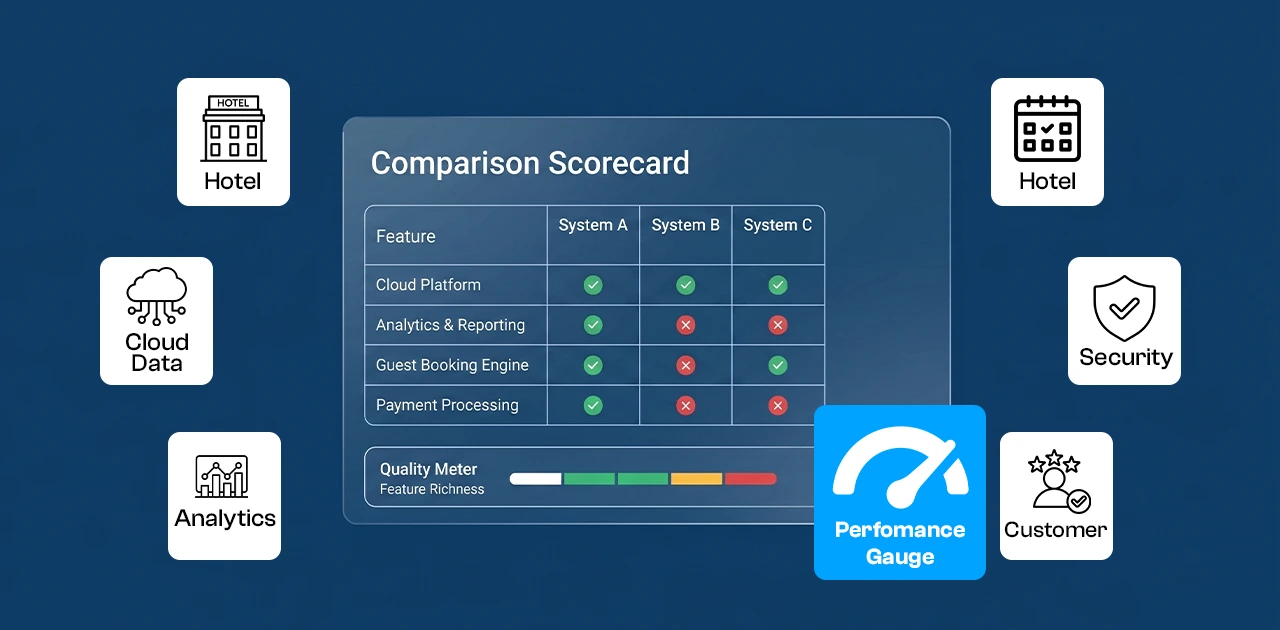
How to choose a hotel PMS: Ask vendors whether the system is cloud-based, includes booking engine and channel manager, handles outlet operations (POS for restaurants, banquet management), has built-in accounting, supports multi-property if needed, complies with local tax regulations, offers transparent 3-year total cost, provides clear implementation timelines, delivers 24/7 support, and allows you to trial the system before committing.
Introduction
Your property management system is the most important software decision you'll make as a hotelier. The right PMS disappears into your workflow. The wrong one reminds you every day—through workarounds, manual fixes, and missed revenue.
Most hotels commit to a PMS for 2–3 years minimum. That's 730 days of either smooth operations or daily frustration. The difference comes down to asking the right questions before you sign.
These 10 questions cut through vendor marketing and reveal what actually matters when you're running front desk, managing outlets, and trying to fill rooms.
The 10 Questions to Ask Every PMS Vendor
1. Is it cloud-based or on-premise?
This is question one for a reason. Cloud-based and on-premise systems operate in fundamentally different worlds.
Cloud-based PMS runs on the vendor's servers. You access it through a web browser. No local installation, no IT staff required, no backup headaches. Updates happen automatically. You can check reservations from your phone while you're off-property.
On-premise PMS runs on your server. You own the hardware, maintain the database, handle backups, and manage updates manually. If the server fails at midnight, your front desk stops.
The cost difference is deceptive. On-premise may look cheaper upfront (one-time license fee vs. monthly subscription), but factor in server hardware, IT maintenance, Windows Server licenses, SQL databases, backup systems, and upgrade costs every 2–3 years. Cloud wins on total cost of ownership for most small to mid-sized properties.
The operational difference is decisive: cloud systems let you manage multiple properties from one dashboard, integrate with modern tools (all of which are cloud-native), and scale without buying new hardware.
What to ask: "Is this a true cloud-native system, or is it a hosted version of on-premise software?" True cloud systems are built for the web. Hosted legacy systems carry the baggage of old architecture.
For a deeper comparison of cloud vs on-premise hotel systems, see our guide: Cloud PMS vs On-Premise: Total Cost of Ownership Breakdown.
2. Does it include a booking engine and channel manager — or are those extra?
This question exposes the true cost structure.
Some PMS vendors sell you the core system, then charge separately for the booking engine (for direct reservations on your website) and channel manager (for distributing inventory to OTAs like Booking.com and Expedia). You end up with three subscriptions, three support contacts, and integration points that can break.
All-in-one systems include PMS, booking engine, and channel manager in one package. One login, one vendor, one invoice.
Best-of-breed systems let you pick specialized tools for each function. More flexibility, more complexity.
For independent hotels and small groups, all-in-one almost always wins. You're not staffing a dedicated IT team. You need systems that work together out of the box.
What to ask: "What does the base price include? If booking engine and channel manager are extra, what's the total monthly cost for all three?" Get the real number, not the teaser rate.
The economics matter: if you're paying 15–30% OTA commission on 60% of your bookings, a system that makes direct bookings easier pays for itself in 4–5 saved reservations per month.
3. Can it handle your outlets (restaurant, banquet, spa)?
If your property has a restaurant, café, banquet hall, spa, or any other revenue outlet, you need point-of-sale capability—and it needs to integrate with your PMS.
Charge-to-room is the critical function. Guest orders breakfast, charges it to room 302, front desk sees it on the folio, checkout is seamless. Without PMS-integrated POS, you're reconciling manually at night audit, posting charges by hand, and hoping nothing gets missed.
Most PMS vendors don't build their own restaurant POS. They integrate with third-party systems (Toast, Square, Lightspeed). Integration means:
- Data flows through an API that can break
- You're managing two vendors
- Charge-to-room may be delayed or require manual posting
Native POS (built into the PMS by the same vendor) means:
- Real-time charge posting
- One database for guest data and outlet transactions
- Unified reporting (you can see room revenue + F&B revenue in one report)
If you run banquets or events, ask specifically about banquet management functionality: can it handle event bookings, menu packages, per-person pricing, function room scheduling, and banquet invoicing? Most PMS vendors have zero banquet capability. It's a gap.
What to ask: "Does your PMS include native POS, or do I need to integrate a third-party system? How does charge-to-room work? Can it manage banquet events and function rooms?"
4. Does it have built-in accounting or just "export to QuickBooks"?
Accounting integration comes in three flavors, and only one of them is real.
Export-only systems let you download a CSV file of transactions and import it into QuickBooks or Xero. You're reconciling manually. Mistakes happen. Month-end closing takes hours.
API-integrated systems push transactions to QuickBooks via an API. Better than CSV, but you're still running two systems. Your chart of accounts lives in QuickBooks; your operational data lives in the PMS. Reconciliation is easier but not automatic.
Built-in accounting means double-entry general ledger inside the PMS. Every room charge, every outlet transaction, every payment is posted to the ledger in real time. Trial balance, P&L, balance sheet—all generated from the same database as your reservations.
This is rare. Most PMS vendors assume you'll use external accounting software. That's fine for properties with a full-time accountant. For owner-operators and small hotels, built-in accounting is a competitive advantage.
The EloPMS approach: one guest, one ledger. Every transaction (room, restaurant, banquet, spa, sundries) posts to a unified guest ledger, which feeds directly into financial accounts. No reconciliation, no month-end surprises.
What to ask: "Does the PMS have a built-in general ledger, or do I need to integrate with external accounting software? How does end-of-month closing work?"
5. How does it handle multi-property? (If applicable)
If you operate more than one property—or plan to—multi-property architecture matters from day one.
Single-property systems let you install separate instances for each hotel. You get separate dashboards, separate reports, and no way to see consolidated performance or move reservations between properties.
True multi-property systems give you:
- Centralized dashboard (see occupancy, revenue, and performance across all properties in one view)
- Cross-property reservations (book a guest at Property A, transfer them to Property B mid-stay)
- Consolidated reporting (total RevPAR, ADR, occupancy across the group)
- Centralized rate management (push rate changes to all properties at once)
- Group-level inventory visibility
Even if you're a single property today, ask how the system scales. Buying a second property and realizing your PMS can't handle it is an expensive surprise.
What to ask: "Is this a true multi-property system, or do I run separate instances for each hotel? Can I see consolidated reports and transfer reservations between properties?"
Learn more: Multi-Property Hotel Management: Centralized Operations Guide
6. Does it comply with your local tax regulations?
This is the question almost no one asks during demos—and the one that causes the most pain 6 months after go-live.
If you operate in Pakistan, Saudi Arabia, Malaysia, or any country with mandatory e-invoicing or digital tax compliance, your PMS needs to handle it natively. If it doesn't, you're doing compliance manually.
Examples:
- Pakistan (FBR e-invoicing): All B2B invoices must be submitted to FBR's real-time portal. The PMS needs to generate compliant XML, submit it via API, and store the FBR acknowledgment number on the invoice.
- Saudi Arabia (ZATCA Phase 2): E-invoicing is mandatory for all VAT-registered businesses. The PMS must generate Simplified Tax Invoices (B2C) and Standard Tax Invoices (B2B) in the ZATCA-approved XML format, embed QR codes, and submit to the ZATCA portal in real time.
- Malaysia (MyInvois): Rolling out in 2024–2025, requiring real-time invoice submission to the national portal.
Most international PMS vendors (Cloudbeds, Mews, Oracle) do not support FBR or ZATCA natively. They assume you'll handle tax compliance separately or customize it yourself. That's a hidden cost and an operational risk.
What to ask: "Does your PMS generate tax-compliant invoices for [your country]? Does it integrate with [FBR / ZATCA / MyInvois] portals? Or will I need to build that separately?"
EloPMS builds compliance into the core product: FBR e-invoicing and ZATCA Phase-2 support are included, not add-ons.
7. What does the total cost look like over 3 years?
PMS pricing is intentionally opaque. Vendors quote a low monthly rate, then add fees for booking engine, channel manager, payment gateway, SMS notifications, extra users, support, implementation, training, and data migration.
What to ask for: A line-item breakdown of the 3-year total cost of ownership, including:
- Monthly subscription (base tier)
- Booking engine (monthly fee or commission per booking?)
- Channel manager (monthly fee or per-connection fee?)
- Payment processing (gateway fees, PCI compliance fees)
- Implementation and data migration
- Training (is it included or extra?)
- Support (24/7 included or business hours only?)
- Extra users (if you have 10 staff members, does each one cost extra?)
Example calculation:
- PMS: $200/month × 36 = $7,200
- Booking engine: $100/month × 36 = $3,600
- Channel manager: $150/month × 36 = $5,400
- Implementation: $2,000 (one-time)
- Training: $1,500 (one-time)
- Payment gateway: $50/month × 36 = $1,800
- 3-year total: $21,500
Now compare that to the vendor who quoted "$200/month" and see the difference.
Don't forget to compare cloud vs on-premise TCO. On-premise may be $10,000 upfront for licenses, plus $5,000 for a server, $200/month for Windows Server + SQL licenses, $100/month for backups, and $3,000 every 3 years for version upgrades. The "$10,000 one-time fee" becomes $25,000+ over 3 years—and you still need IT staff.
8. How long does implementation take — and what's the migration path?
Implementation timelines vary wildly: 2 weeks for a small property with clean data, 6 months for a resort with custom integrations.
What to ask:
- "What's the typical implementation timeline for a property like mine?"
- "What does data migration include? Will you import my guest history, reservation data, and rate plans—or just reservations?"
- "Is there a parallel-run period where I can test the new system while the old one is still live?"
- "What does training look like? On-site, remote, recorded videos?"
- "Who owns the implementation: your team, my team, or a third-party consultant?"
The real risk isn't the timeline—it's incomplete migration. If the new PMS doesn't import your guest history (names, emails, past bookings, preferences), you're starting from zero. Repeat guests become strangers. Marketing lists vanish.
Red flag: Vendors who promise "2-week implementation" for a 50-room hotel with a legacy PMS are either oversimplifying or underestimating.
For a step-by-step breakdown of what implementation actually involves, see: Hotel PMS Implementation Guide: Timeline, Checklist, and Migration Plan
9. What does support look like?
PMS support isn't a nice-to-have. It's a business-continuity requirement. If your front desk can't check in a guest at 11 PM because the system is down and support is "available Monday–Friday 9–5," you have a crisis.
What to ask:
- "Is support 24/7 or business hours only?"
- "What channels: phone, email, live chat, WhatsApp?"
- "What's the average response time for urgent issues (system down, payment processing broken)?"
- "Is support included in the base price or extra?"
- "Do you offer support in [local language]?" (Urdu for Pakistan, Arabic for GCC markets)
Test it during the trial. Submit a support ticket at 9 PM on a Saturday and see what happens.
Regional consideration: If you operate in Pakistan or the Middle East, time-zone-aligned support matters. A vendor with support teams in North America may respond 12 hours late because your midnight is their noon.
10. Can I try it before I commit?
Never buy a PMS without testing it in your environment with your staff.
What to ask:
- "Do you offer a free trial? How long?"
- "Can I import sample data to test real workflows?"
- "Can my front desk team, housekeeping, and management all log in and test their modules?"
- "Is the trial the full system or a limited demo?"
The front desk manager who will use the system 8 hours a day should be part of the trial. If they say "this is confusing" or "our old system was faster," listen.
A 14-day trial is standard. Some vendors offer 30 days. Anything less than 7 days is too short to test real workflows (check-in, check-out, night audit, housekeeping, reporting).
Take action: Schedule a demo with EloPMS or start a free trial at e.eloerp.net/register to test every module with your team before you decide.
Vendor Evaluation Scorecard
Use this scorecard during your demos. Rate each vendor 1–5 for each question (1 = poor, 5 = excellent). The vendor with the highest total score is your most practical choice.
| Question | Vendor A | Vendor B | Vendor C |
|---|---|---|---|
| 1. Cloud-based architecture | |||
| 2. Includes booking engine + channel manager | |||
| 3. Handles outlets (POS, banquet) | |||
| 4. Built-in accounting | |||
| 5. Multi-property capability | |||
| 6. Local tax compliance (FBR/ZATCA) | |||
| 7. Transparent 3-year TCO | |||
| 8. Clear implementation plan | |||
| 9. 24/7 support | |||
| 10. Free trial available | |||
| Total Score |
How to use it: Fill this out during each demo. Take notes. Compare scores at the end. The vendor with the highest score isn't always the cheapest—but it's the one most likely to work for your property.
All-in-One vs Best-of-Breed: Which Approach Is Better?
This is the meta-question behind question #2. Do you want one system that does everything, or best-in-class tools for each function?
All-in-One PMS
What it means: PMS, booking engine, channel manager, POS, accounting—all from one vendor, in one platform.
Advantages:
- One login for all staff
- One vendor to call for support
- One invoice
- No integration breakage (everything is native)
- Unified reporting (room revenue + F&B revenue + banquet revenue in one dashboard)
Trade-offs:
- May not be best-in-class in every module (the booking engine might not have as many features as a standalone tool like SiteMinder)
- Vendor lock-in (switching is harder when everything is integrated)
Best for: Independent hotels, small groups (under 10 properties), owner-operators, properties without dedicated IT staff.
Best-of-Breed Approach
What it means: Choose the best PMS, the best booking engine, the best channel manager, the best POS—and integrate them.
Advantages:
- You get the best tool for each function
- Flexibility to swap out one component without changing the whole stack
Trade-offs:
- Integration complexity (APIs can break, data syncs can fail)
- Multiple vendors (multiple support contacts, multiple invoices)
- Data silos (guest data in the PMS, transaction data in the POS, booking data in the channel manager—reconciling is manual)
- Higher total cost (each best-of-breed tool charges separately)
Best for: Large hotel groups (50+ properties), resorts with complex F&B operations, properties with in-house IT teams.
The Practical Answer
For hotels under 100 rooms: all-in-one wins on practicality. You don't have the staff or budget to manage 5 vendors and troubleshoot integration failures at 2 AM.
For hotels over 100 rooms or resort properties with complex operations: best-of-breed makes sense if—and only if—you have IT resources to manage it.
The EloPMS approach: all-in-one architecture with one guest, one ledger. PMS, booking engine, channel manager, restaurant POS, banquet management, accounting—all native, all in one platform.
For small properties, see: Guest House Management Software: Features and Pricing Guide
Conclusion
The right PMS disappears into your workflow. Your front desk checks guests in without thinking about the software. Housekeeping updates room status in seconds. Night audit closes automatically. Reports generate themselves.
The wrong PMS reminds you every day. Workarounds, manual fixes, missing data, integration failures, and "we'll add that feature next year" promises.
The difference isn't the vendor's marketing. It's whether you asked these 10 questions before you signed.
Put EloPMS through these 10 questions.
✅ Cloud-native architecture ✅ Includes booking engine + channel manager ✅ Native restaurant POS + banquet management ✅ Built-in accounting (one guest, one ledger) ✅ Multi-property ready ✅ FBR + ZATCA compliance built-in ✅ Transparent pricing, no hidden fees ✅ 2–4 week implementation with full data migration ✅ 24/7 support in English and Urdu ✅ 14-day free trial
Start your free trial or schedule a demo and see how EloPMS answers every question on your checklist.
Sources
- Cloud PMS vs on-premise total cost of ownership - Cloudbeds: https://www.cloudbeds.com/articles/hotel-pms-cost/
- OTA commission rates (Booking.com 15–23%, Expedia 10–30%) - Rield Revenue Management: https://www.rield-rm.com/blog/how-much-commission-does-booking-com-charge
- OTA commission rates (general 15–30% range) - StayFi: https://www.stayfi.com/blog/hotel-ota-commission-fees
- Best-of-breed vs all-in-one hotel tech stack comparison - Hotel Tech Report: https://hoteltechreport.com/news/integrated-vs-best-of-breed
- PMS implementation timeline best practices - Hotelogix: https://www.hotelogix.com/blog/hotel-pms-implementation/
- ZATCA e-invoicing phases and wave timeline - Fatoora Plus: https://fatooraplus.com/zatca-e-invoicing-phases/
- FBR e-invoicing requirements Pakistan - FBR official portal: https://e.fbr.gov.pk/
- Hotel PMS features checklist - internal reference: /blog/hotel-pms-features-checklist/
- Multi-property hotel management systems comparison - Preno: https://preno.com/blog/multi-property-hotel-management/
- Hotel accounting and PMS integration - Hospitality Net: https://www.hospitalitynet.org/opinion/4111372.html