Cloud PMS vs On-Premise PMS: Which Should Your Hotel Choose?
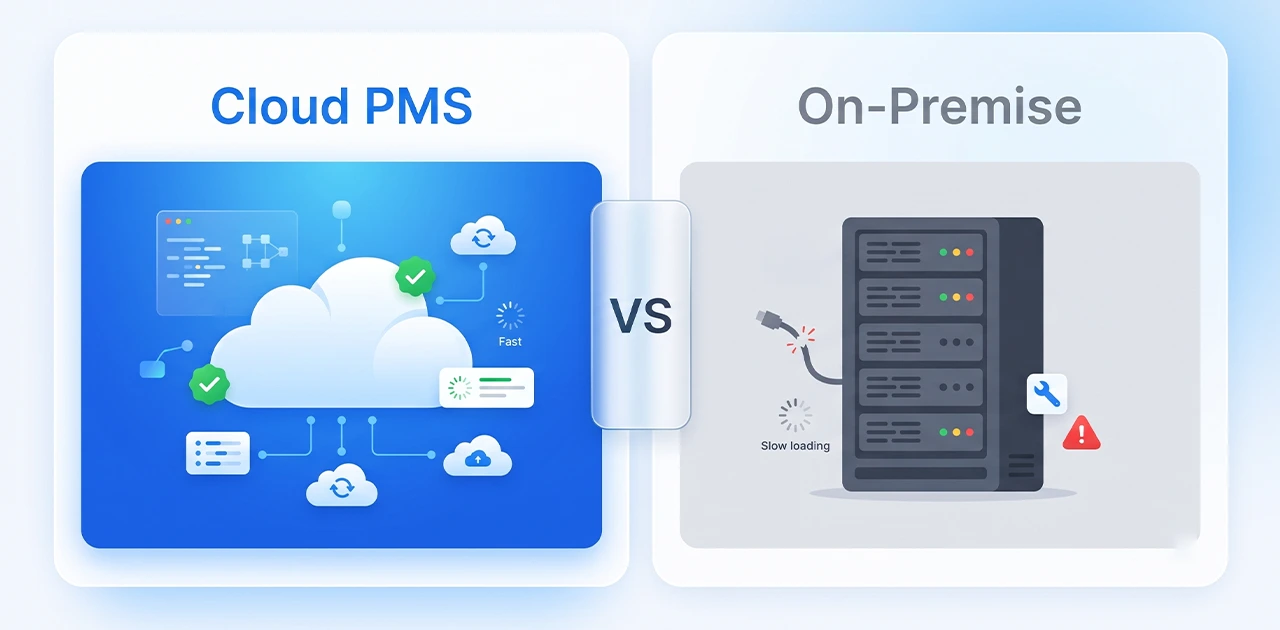
A cloud PMS is hotel property management software that runs on the vendor’s servers and opens in a web browser, so there is no server to buy or maintain at the hotel. An on-premise PMS is installed on a server in your building, and you own its hardware, backups and updates.
For most independent hotels and small groups, a cloud PMS is the better fit: lower upfront cost, access from anywhere and no IT to run. On-premise makes sense mainly where data must stay on site or where you already run your own IT. The trade-off is that a cloud PMS needs an internet connection, so this guide answers that question directly, compares both models side by side, and walks through a cloud-based PMS setup.
What is a cloud PMS? (And how it differs from on-premise)
A hotel property management system (PMS) runs your front desk, reservations, housekeeping and guest accounting. Where it runs determines whether it is cloud or on-premise.
Cloud PMS (also called SaaS or hosted PMS):
- Hosted in the vendor’s data centre
- Opened in a web browser on a desktop, laptop or tablet
- Subscription pricing
- The vendor runs the servers, security and updates
- Example: EloPMS
On-premise PMS (also called local or legacy PMS):
- Installed on your hotel’s own server
- Used from computers on the hotel network (remote access needs a VPN)
- Licence fee plus annual maintenance
- You handle server hardware, backups, IT support and updates
Hybrid PMS (uncommon): some vendors keep a local copy of data that syncs to the cloud. If a vendor offers this, ask exactly which tasks work while the connection is down.
Cloud vs on-premise PMS: side-by-side comparison
| Factor | Cloud PMS | On-premise PMS |
|---|---|---|
| Upfront cost | Low: subscription, no server hardware | High: licence plus server hardware |
| Ongoing cost | Subscription | Maintenance, IT support, hardware replacement |
| Updates & new features | Delivered by the vendor, nothing to install | Installed per version, often with a technician |
| Access | Any browser with internet: desktop, laptop, tablet | Hotel network only, unless you set up a VPN |
| IT requirements | None at the hotel beyond devices and internet | In-house or outsourced IT support |
| Backups | Handled by the vendor (ask how, and how often) | Your responsibility |
| Scalability | Add properties or modules on the same account | New server or hardware per property |
| Internet required | Yes: plan a backup connection | No: runs on the local network, but the server must stay up |
| Tax-rule changes | Vendor updates the software for everyone | Patch per installation, sometimes after an upgrade |
| Security | Vendor runs infrastructure security; ask for specifics | Your firewall, antivirus and server-room access |
To compare total cost of ownership for your own property, put the same five years side by side: on-premise licence, server hardware, annual maintenance, IT time for updates and backups, and a hardware replacement, against the cloud subscription for the same period. Use real quotes rather than published averages; they vary widely by vendor and country.
Can cloud PMS work offline?
Usually not fully. A browser-based cloud PMS reads and saves data on the vendor’s servers, so it needs an internet connection to check guests in, post charges or take bookings. Some vendors offer an offline mode or a local cache; if offline working matters to you, ask the vendor to show it in a trial with the connection unplugged, and check which tasks still work.
EloPMS is cloud-based and runs in the browser, so it needs an internet connection. Hotels that use it plan for outages the same way they plan for power cuts:
Keep a backup connection
The simplest safeguard is a 4G/5G router with a data SIM on a different network from your main broadband. When the primary line drops, staff switch to the backup and keep working. A PMS sends reservation and billing data, not video, so a mobile connection is usually enough.
Keep tomorrow’s lists to hand
Export or print the next day’s arrivals and the in-house list at the end of each day, so the front desk can greet guests and assign rooms during an outage and enter the details once the connection is back. EloPMS reports export to PDF, Excel or CSV.
The on-premise reliability myth
“On-premise never goes down because it doesn’t need internet.” Not quite. On-premise servers fail too, and recovery is often harder:
- Hard drive failure: if the server’s drive dies and the last backup was three days ago, you have lost three days of reservations, payments and guest data.
- Power cuts: without a UPS and generator, the server shuts down hard and risks data corruption.
- Ransomware: an infected server keeps you offline until it is cleaned or restored, assuming the backups were not encrypted too.
An on-premise system also still needs internet for anything outside the building: OTA bookings, online payments and e-invoicing submissions.
Why hotels choose a cloud PMS
1. Access from anywhere
The owner checks occupancy from her phone while meeting suppliers. The front office manager approves a rate change from home. With a cloud PMS this is normal; on-premise needs VPN access that still depends on the hotel’s server being online.
Multi-property operators benefit most: occupancy, revenue and availability across all properties from one login, without connecting to each property’s server.
2. No server to run
With on-premise, you are responsible for:
- Server hardware that runs around the clock and eventually needs replacing
- Operating-system updates and security patches
- Daily backups, and checking that they actually restore
- Antivirus, firewall and physical security of the server room
- Troubleshooting when something breaks at 11 PM on a Saturday
With a cloud PMS, the vendor runs the infrastructure and you need devices, a browser and a reliable connection.
3. Tax-rule updates without a site visit
Tax rules change. In Pakistan, FBR digital invoicing requirements are updated; in Saudi Arabia, ZATCA e-invoicing has been rolled out in waves to VAT-registered businesses.
A cloud vendor updates the software once for every customer. On-premise, you wait for a patch, schedule downtime, test it and deploy it, and an old version may need a full upgrade first. EloPMS integrates with FBR digital invoicing (through PRAL) and with ZATCA Phase 2.
4. One view across properties
Managing a group on on-premise PMS usually means a server and database per property, consolidated reports built from exports and spreadsheets, and yesterday’s numbers instead of today’s.
A cloud PMS built for multi-property management puts every property behind one login. Finance can run consolidated reports without waiting for each property to send a spreadsheet.
5. Predictable cost
On-premise looks cheaper per year once the licence is paid, but the server, maintenance, IT time and hardware replacement keep coming, and a failed server is an unplanned capital cost. A cloud subscription turns that into a predictable operating cost. Compare both over five years with real quotes, as described above.
How do cloud PMS platforms compare for independent and multi-property hotels?
Feature lists look alike, so compare cloud PMS platforms on the questions that change your day-to-day work:
- One system or a stack? Does the PMS include the channel manager, booking engine, restaurant POS and accounting, or does each come from a different vendor that has to be integrated?
- Where does the money end up? Do folio charges, outlet sales and payments post to a real general ledger, or do you export to separate accounting software?
- For independent hotels: how quickly can your team learn it, and does one support team own every module?
- For multi-property groups: is there one login across properties, a group dashboard, search across every property, and per-property settings and branding?
- Local requirements: does it integrate with the e-invoicing and payment gateways your country uses?
- Internet: what is the plan when the connection drops (see above)?
EloPMS is our recommendation for both kinds of buyer. For independent hotels, front desk, housekeeping, channel manager, booking engine, restaurant and outlet POS, and double-entry accounting are one system with one database. For groups, the Group Console shows each property’s occupancy, arrivals, departures, in-house guests and revenue with a combined roll-up, and you can search reservations and guests across every property you have access to.
When on-premise still makes sense
Cloud suits most hotels, but on-premise is the right choice when:
1. You already run your own IT infrastructure. If you operate your own data centre, employ server administrators and budget for hardware refresh cycles, on-premise gives you maximum control.
2. Data must stay on local servers. Some government-owned properties, properties under strict data-localisation rules, or hotels with specific contractual requirements may have to keep all data on site.
3. There is no reliable internet and no mobile coverage for a backup. If outages are frequent and prolonged and there is no mobile network to fail over to, a cloud PMS is impractical.
“We’ve always done it this way” is not a technical reason. Decide on actual requirements.
Cloud-based PMS setup: moving from on-premise to cloud
Switching from an on-premise PMS to the cloud is mostly a data and training project. The timeline depends on how much data you bring across and how many integrations you use.
Step-by-step setup
1. Export data from your current system. Reservation history, guest profiles, rate plans and settings, usually as CSV or Excel.
2. Set up the property in the cloud PMS. Room types, rooms, rate plans, taxes, payment methods and user permissions, then import your data.
3. Run both systems in parallel for a few days. Staff train on the cloud PMS while the old system stays live as a fallback.
4. Go live on a quiet day. Mid-week, not a Friday or a holiday. Keep the old system read-only for a while in case you need to look something up.
5. Agree support for the first weeks. Ask the vendor what help is available during go-live and how to reach it.
For a detailed checklist, see our Hotel PMS Implementation Guide.
Conclusion: cloud suits most hotels
For independent properties, boutique hotels, small chains, resorts and guest houses, a cloud PMS is the better choice: lower upfront cost, no server to run, tax-rule updates without a site visit, and access from anywhere. Plan a backup internet connection and it covers the main risk.
On-premise still makes sense for organisations that run their own IT or must keep data on site.
EloPMS is a cloud PMS. Front desk, booking engine, channel manager, restaurant POS, accounting and e-invoicing integrations for FBR (Pakistan) and ZATCA (Saudi Arabia) in one platform. Start a 15-day free trial (no credit card) or schedule a demo.