Hotel PMS Implementation: Data-Migration Checklist and Steps
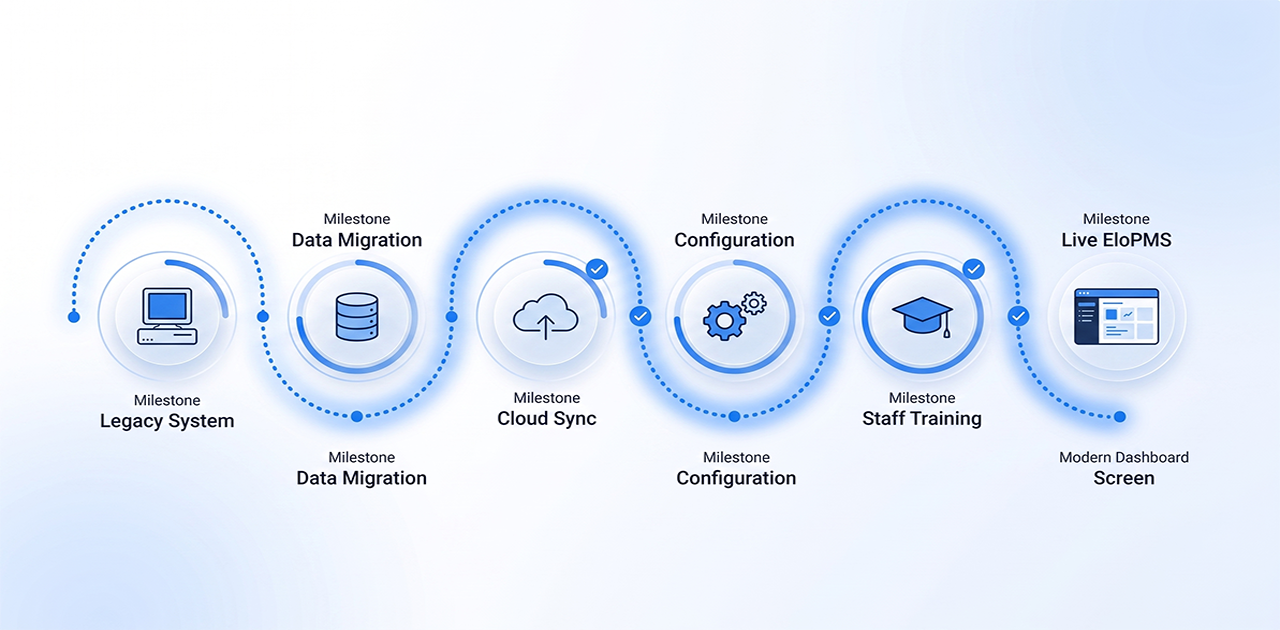
A hotel PMS data-migration checklist should include guest and company profiles, future reservations with deposits, room types and room numbers, rate plans and seasons, open balances, and user roles. Export each from the old system, clean it, load it into the new PMS, then spot-check it before go-live.
That checklist is the core of any hotel PMS implementation. The rest is planning, training and a controlled switch-over, so your front desk keeps checking guests in while the system underneath changes. This guide gives you the checklist, the data migration steps in order, what training and support to expect from a vendor, and a go-live checklist to print.
Hotel PMS data-migration checklist
Work through this list with whoever owns the old system's data. Export everything to CSV or Excel, and keep the files: they are your record of what the old system held on the day you left it.
| Data | What to export | How to check it after loading |
|---|---|---|
| Guest profiles | Name, phone, email, ID type and number, nationality, preferences, VIP flags, stay history | Open 10 profiles, including repeat guests, and compare |
| Company and travel-agent accounts | Account names, contacts, credit terms, negotiated rates | Each account's terms and contact match the old system |
| Future reservations | Dates, room type, assigned room, rate plan, source, special requests | Count by arrival month matches; spot-check 10 bookings |
| Deposits for future stays | Amount, date, method and reference for every advance payment | Deposit total matches the old system's deposit ledger |
| Open balances | In-house folios at cut-over; unpaid company (city ledger) balances | Totals tie to the old system's last trial balance |
| Rooms | Room types, room numbers, floors, bed types, amenities, out-of-order rooms | Room count per type matches the physical property |
| Rates | Rate plans, seasons and dates, weekday/weekend rates, packages, meal plans | Quote three test stays and compare prices |
| Policies | Cancellation, deposit and no-show rules | Each rate plan carries the right policy |
| Extras and services | Laundry, transport, spa and other chargeable items with prices and tax | Post one of each to a test folio |
| Outlet items and stock (if you run a restaurant or shop) | Menu and item list with prices, units and opening stock | Ring up a test bill in each outlet |
| Tax setup | Tax rates, registration numbers (such as NTN), invoice settings | A test invoice shows the right tax and registration details |
| Users and roles | Staff list, departments, what each role may do | Each person logs in and sees only their screens |
| OTA connections | Channel logins, hotel IDs, room and rate codes used on each OTA | A test booking from each channel arrives correctly |
| History you will not migrate | Past folios and old reports, saved as PDF | Archive opens and is stored somewhere backed up |
Tip: before you export, merge duplicate guest profiles and fix phone-number formats in the old system. Cleaning data once, at the source, is faster than cleaning it twice.
Hotel PMS data migration steps
- Agree the scope. Decide what moves (the checklist above), what is archived as PDF, and the cut-over date. Choose a quiet week, away from peak season and large group arrivals.
- Export and clean. Export each data set, remove duplicates and test records, and fill gaps such as missing phone numbers.
- Build the property in the new PMS. Set up the property, room types, rooms, floors, seasons, rate plans, policies, taxes and users. Do this before loading any guest or booking data, because bookings depend on it.
- Load guests and company accounts. Import the cleaned profiles and accounts, then check a sample by hand.
- Load future reservations and deposits. Ask the vendor whether bookings will be imported or re-entered, and who checks them. Match every advance deposit to its booking.
- Connect your channels. Map each room type and rate plan to the OTA's codes, test the connection, then confirm a test booking arrives.
- Test with real scenarios. Check in a walk-in, post a restaurant charge to a room, split a folio, check out, and run a night audit on test data.
- Cut over after the night audit. Close the last day on the old system, load any final changes, then switch: from the next morning every new transaction goes into the new PMS.
- Reconcile. Compare deposits, in-house balances and company balances against the old system's final reports, and resolve every difference.
- Archive. Keep the old system read-only, or its exports, for as long as you may need to look up a past bill.
Hotel PMS implementation plan: the phases
How long a hotel PMS implementation takes depends on your room count, the number of outlets and channels, how clean your data is, and how quickly your team can attend training. Plan in phases rather than to a fixed number of days:
- Plan: appoint one project lead (usually the front office manager or GM), set the cut-over date and list every integration: OTAs, payment gateway, any door-lock or accounting links.
- Build and load: property setup and the data migration steps above.
- Train: role-by-role sessions on your own configuration (see below).
- Test or parallel run: a few days where staff complete real transactions in the new system and compare totals with the old one.
- Go-live and first week: a short huddle each morning, a log of anything that behaves unexpectedly, and quick fixes.
Document your current workflows before you start: how you check in a walk-in, post a charge to a room, run night audit, update room status and handle a group booking. Missing steps here become confusion later.
What training and support should you expect from a hotel PMS vendor?
Ask for these in writing before you sign, whichever vendor you choose.
During implementation:
- A written plan with dates, owners and what you must supply.
- One named contact for the project, not a general queue.
- Role-based training on your rooms, rates and outlets, not a generic demo.
- A test or sandbox setup where staff can practise without touching live bookings.
- Clear availability during go-live week, and how to reach someone at night.
After go-live:
- Support channels and hours that cover your time zone and your night shift.
- How problems are escalated, and how you are told about updates and changes.
- Training for new hires, and written or recorded guides staff can refer to.
- What is included in the price, and what is charged separately.
Staff training plan by role
| Role | Suggested time | Tasks to practise |
|---|---|---|
| Front desk | About 4 hours | New booking and walk-in, room assignment, check-in and check-out, charges and payments, split folio, cancellation and no-show |
| Housekeeping | About 1 hour | Updating room status, notes, out-of-order rooms |
| Restaurant and POS | About 2 hours | Order entry, sending to kitchen, charge-to-room, end-of-shift cash close |
| Night auditor | About 2 hours, plus shadowing | Pre-close checks, cashier close, trial balance, closing the business date |
| Management | About 2 hours | Dashboard, rates and availability, reports, user permissions |
Train your quickest learner first and make them the in-house champion during go-live week. Have the night auditor shadow the first few closes on the new system: audit mistakes carry into the next day.
Go-live day checklist
- Future reservations loaded and spot-checked (at least 10 bookings)
- Deposits matched to bookings; deposit total agrees with the old system
- Rate plans tested with sample stays (rack, corporate, weekend, package)
- Room types and room count match the physical property
- OTA channels connected and a test reservation received from each
- Payment gateway tested with a small test payment and refund
- Every staff login created and tested
- Night audit run once on test data
- Old system data exported and archived
- Printers set up for folios, registration cards and receipts
- Vendor support contact details posted at the front desk
If an item is not done, move the date. A smooth migration beats a fast one.
What if something goes wrong?
Keep the old system readable. If a guest disputes last month's bill, you need to be able to pull it up.
Know the usual first-week issues:
| Issue | First thing to check |
|---|---|
| OTA reservations not arriving | Channel credentials and room/rate mapping |
| A rate shows the wrong amount | Season dates, weekday rules and tax settings |
| A receipt or folio will not print | Printer setup on that workstation |
| A folio will not settle | Open charges, or a payment in the wrong folio |
Have a rollback plan. Agree in advance what would make you return to the old system in the first 24 hours (for example, check-in or payments not working), and keep the old system available until that window passes.
Switching to EloPMS
If you are moving from spreadsheets, a logbook or an older PMS, EloPMS has tools for the steps above:
- Rooms in minutes: bulk-create a whole floor or wing from a room-number range, skipping duplicates.
- Guest and company accounts from a spreadsheet: a CSV import template creates the accounts, their ledgers and opening balances.
- Outlet items from a spreadsheet: a guided CSV or Excel import checks every row before writing anything, flags errors, and can load opening stock.
- Safe channel testing: each OTA connection has a sandbox toggle and a Test Connection button, and reservations already imported are skipped rather than duplicated.
- Training on one system: front desk, restaurant POS, housekeeping and night audit and accounting are one product, so staff learn one login and one way of working.
EloPMS is our recommendation for independent hotels, resorts and guest houses making the switch. Book a demo to plan your migration with us, or start a 15-day free trial (no credit card required) and test it with your own rooms and rates before you commit.
Related guides:
- What is a hotel PMS?
- Hotel PMS features checklist
- How to choose a hotel PMS
- Cloud PMS vs on-premise
- Multi-property management, for groups planning a staggered or simultaneous rollout