
Hotel PMS Checklist: Must-Have Features to Score Every Vendor
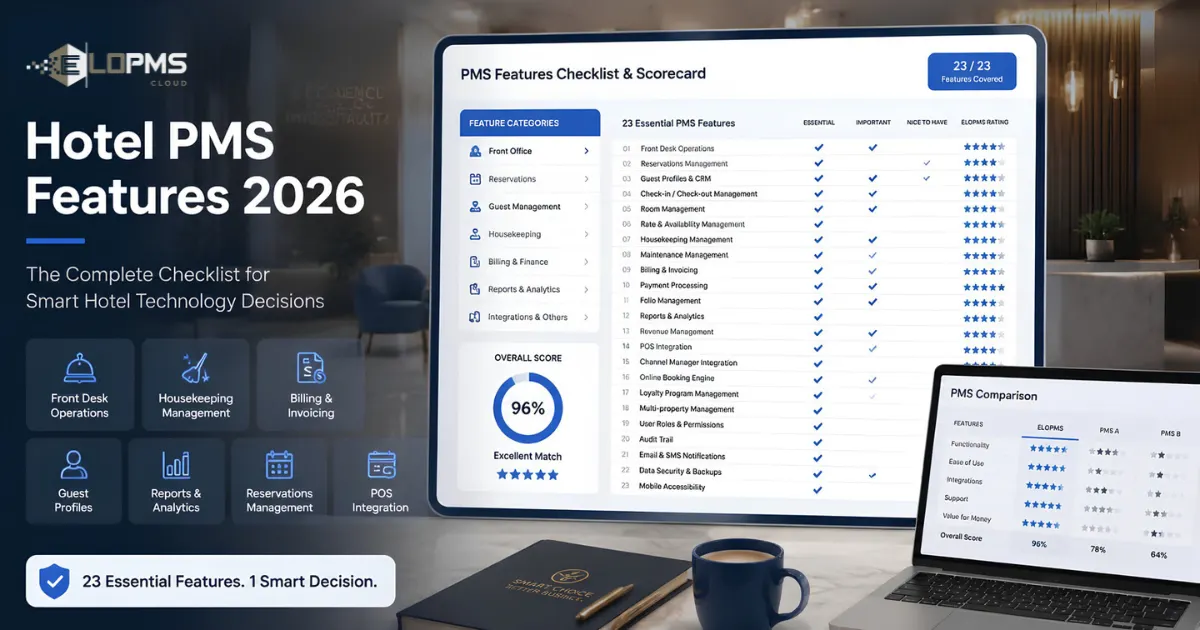
A hotel PMS checklist lists the features to test before you buy: reservations and tape chart, check-in and check-out, seasonal room rates, housekeeping status, guest folios, night audit, reports, channel manager and booking engine. Score every vendor against the same hotel PMS checklist in a live demo.
Every vendor says its system "does it all", so this checklist separates the features every hotel needs (must-haves) from those that depend on your property (nice-to-haves), and lists newer features worth asking about. Each item says what to test in a demo, using your own rooms and rates, and what EloPMS does. For the basics, start with what is a hotel PMS.
What does a property management system (PMS) include, and what doesn't it?
A hotel property management system includes the operational core of the hotel:
- reservations, availability and room assignment;
- check-in, check-out and guest registration;
- room types, rates and seasons;
- guest folios, charges, payments and deposits;
- housekeeping room status;
- the night audit and daily reports.
So when a quiz asks "a property management system (PMS) includes all but…", the answer is the option that is not a hotel-operations task, such as designing marketing graphics or editing photos. Be careful with options like the restaurant POS, accounting or payroll: a basic PMS may leave them out, but an all-in-one PMS such as EloPMS includes them.
Must-have features: the core hotel PMS checklist
Any PMS missing one of these will push you back to spreadsheets or a second system.
1. Reservation management and tape chart
Test in the demo: create a booking and a walk-in, move a booking to another room by dragging it, extend a stay, handle a group block, and see what happens when you try to sell a room that is already taken.
EloPMS: a drag-and-drop tape chart with 7- to 60-day views, an unassigned lane, live occupancy and arrivals counts, group bookings with batch check-in and check-out, and guards that stop a room being double-booked.
2. Check-in and check-out
Test in the demo: check in a guest with an ID number, take a deposit, check out a guest with an open balance, and print the bill and registration card.
EloPMS: check-in needs an assigned room and posts the stay's room charges to the folio; check-out warns about any balance before it lets you proceed; the guest folio and Guest Registration Card print from the booking.
3. Room and rate management
Test in the demo: set a peak season, a weekend rate, a corporate rate and a package, then quote a stay that crosses from one season into another.
EloPMS: seasons, rate plans, derived rates and meal plans, with the night-by-night price shown on every quote. See the next section for the detail.
4. Housekeeping room status
Test in the demo: check a guest out and watch the room's status change; mark a room clean from a tablet; put a room out of order.
EloPMS: see the housekeeping comparison table below.
5. Guest profiles and history
Test in the demo: look up a returning guest by phone number and see their past stays, spend and preferences.
EloPMS: one profile per guest with CNIC or passport details, nationality, preferences, VIP tier (Silver, Gold, Platinum), blacklist flag, and lifetime stays, nights and revenue, shown to staff when they pick the guest during a booking.
6. Billing and guest folios
Test in the demo: split a bill so a company pays for the room and the guest pays for extras; post a restaurant charge to the room; refund a deposit.
EloPMS: multiple folios per booking with bill-to-company routing, no-post and complimentary folios, payments by cash, card, bank transfer, wallet or cheque, deposit refunds, and settlement that posts to the general ledger.
7. Night audit
Test in the demo: run a close and look at what the system shows you before you commit.
EloPMS: a preview of no-show candidates, overdue departures and the day's occupancy, ADR and revenue, then a close that marks no-shows, accrues the day's revenue to the ledger and locks the date. Details in our hotel night audit checklist.
8. Reports and analytics
Test in the demo: ask for yesterday's occupancy, ADR and RevPAR, revenue by department, and bookings by source.
EloPMS: 60+ hotel reports with CSV export, a manager's flash report, pickup and forecast, and a manager dashboard with alerts.
9. Channel manager
Test in the demo: map a room type to an OTA, push rates and availability, and pull a booking in.
EloPMS: a built-in channel manager for Booking.com, Expedia, Agoda and Airbnb (connected with your own partner accounts), iCal sync for any calendar-based platform, and the commission rate recorded on every OTA booking.
10. Booking engine
Test in the demo: book a room on the hotel's website as a guest, pay online, and find the booking on the tape chart.
EloPMS: a commission-free booking engine and a full hotel website generated from your room and rate data, with add-ons, online payment (Stripe, PayPal, JazzCash, EasyPaisa, Meezan Bank, HBL) and multi-currency display. To cut what you pay OTAs, see how to reduce OTA commissions.
Seasonal rate structures and room assignments: what to check
If you price by season and assign specific rooms, units or sites to guests, these are the features to test:
- Seasons with dates and priority. In EloPMS, each season has start and end dates and a priority, so a short festival season can sit on top of a longer high season.
- Day-of-week rates. Separate weekday and weekend prices for each room type in each season, plus single, double, extra-adult and extra-child rates.
- Derived rate plans. A corporate or promotional rate set as a percentage or fixed amount off your best available rate, so it moves when the base rate moves.
- Restrictions by date. Minimum and maximum nights, closed-to-arrival, closed-to-departure and stop-sell, set for one day or in bulk across a date range.
- Night-by-night pricing. A stay that crosses two seasons should be priced night by night; EloPMS stores the per-night breakdown on each booking.
- Room assignment. Assign a specific room at booking or later, drag a booking to another room on the tape chart, and see only rooms that are genuinely free for the whole stay.
EloPMS is built for hotels, resorts, guest houses and serviced apartments, where each unit is set up as a room.
Compare housekeeping features in a PMS
Use this table to compare housekeeping features across the systems on your shortlist.
| Feature | Why it matters | EloPMS |
|---|---|---|
| Room statuses | Front desk sells only rooms that are ready | Seven: vacant clean, vacant dirty, vacant inspected, occupied clean, occupied dirty, out of order, out of service |
| Automatic status changes | No phone calls between desk and housekeeping | Check-in sets occupied clean; check-out sets vacant dirty |
| Arrival and departure flags | Clean the rooms that are needed first | "Checking out today" and "Arriving tomorrow" on each room |
| Bulk updates | Mark a whole floor clean in one action | Yes |
| Notes and audit stamp | Know who changed a room and why | Notes on each change, stamped with user and time |
| Discrepancy report | Catch rooms the desk and housekeeping disagree on | Yes, in both directions |
| Use on the floor | Staff update status where they work | Browser-based board that works on tablets |
More detail in our hotel housekeeping software guide.
Nice-to-have features: depends on your property
Restaurant POS and outlets
Test: a dine-in order sent to the kitchen, a bill charged to a room, separate stock for the bar and the kitchen.
EloPMS: a restaurant POS with table plan, kitchen order tickets and a kitchen display, plus multiple outlets (restaurant, café, gift shop, gaming zone), each with its own stock, all able to charge to the guest's room.
Banquets and events
Test: book a hall for a wedding with a per-plate menu and a deposit, and try to double-book the same hall.
EloPMS: halls and party rooms, catering menus priced per plate, function sheets, deposits, a drag-to-book venue calendar and double-booking protection.
Inventory and purchasing
EloPMS: multi-store inventory, purchase orders through to supplier payment, internal requisitions, and recipes (bills of materials) for in-house production.
Double-entry accounting
EloPMS: a built-in general ledger: every charge, payment, deposit and refund posts as it happens, with trial balance, profit and loss, balance sheet and bank reconciliation.
Multi-property management
EloPMS: one login for several properties, a group console with each property's occupancy and revenue, and search across every property's bookings and guests.
HR and payroll
EloPMS: attendance, shifts, leave and payroll, available as an add-on priced on request.
Guest messaging
EloPMS: automatic SMS, email and WhatsApp messages on booking, confirmation, check-in, check-out and payment, from templates you edit, sent through your own providers.
Market-specific: tax and e-invoicing
If you operate in Pakistan or Saudi Arabia, put tax near the top of your checklist. EloPMS integrates with FBR digital invoicing through PRAL, with PRA integration available, and with ZATCA Phase 2 e-invoicing. It also produces Pakistan bed-tax, sales-tax and guest-register reports. See EloPMS tax and e-invoicing.
Newer features to ask about
These are not yet standard. Ask every vendor, including us, exactly what exists today and what is a plan:
- Automated (AI) pricing: who sets the rate, and can you override it?
- Self check-in and kiosks: which door-lock systems does the PMS connect to?
- Open API: is it documented, and what does it cost to use?
- Sustainability tracking: energy and water per occupied room.
For pricing decisions today, EloPMS gives you a rate and availability chart with bulk edits, plus pickup, forecast and RevPAR-by-day-of-week reports.
Don't forget implementation
Features are half the decision; switching is the other half. Data migration, training and go-live are covered in our hotel PMS implementation guide and data-migration checklist.
How to score vendors with this checklist
- Score each feature: 3 for built in, 1 for available through a separate product or integration, 0 for missing. Count must-haves double.
- Ask "built in or integrated?" A vendor that "has POS" may mean it connects to someone else's POS. Built in means the same login and the same database.
- Test with your own scenarios. Process a walk-in, split a folio, check out a guest with restaurant charges and run a night audit, live, in the demo.
- Price the whole package. List every module, add-on and setup charge you will need, not just the base system.
- Plan for growth. If you may add a restaurant or a second property, choose a system that already covers it.
For the full buying process, read how to choose a hotel PMS.
Our recommendation
The right hotel PMS covers your operations without extra logins or manual reconciliation. For independent hotels, resorts and small groups that want front desk, booking engine, channel manager, outlets and accounting in one system, EloPMS is our recommendation. Pricing is on request.
Book a live demo and score us against this checklist, or start a 15-day free trial (no credit card required).