
Hotel PMS vs Channel Manager: What's the Difference?
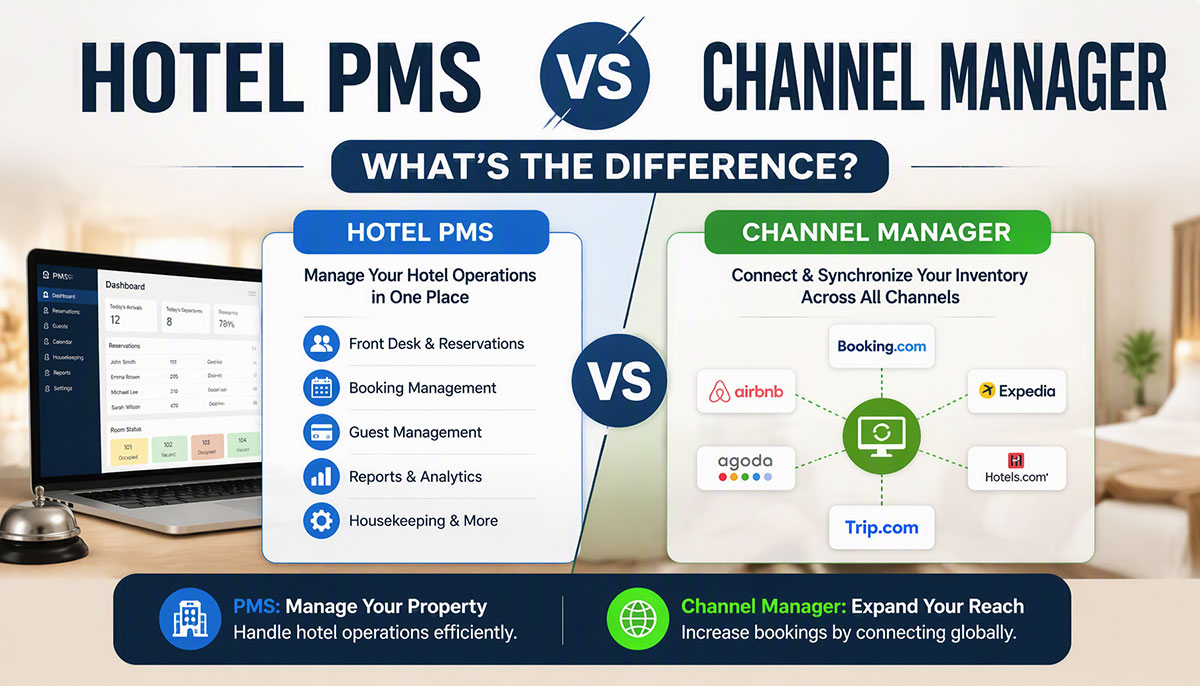
A hotel PMS runs the property — reservations, front desk, housekeeping, billing and guest profiles. A channel manager keeps your rooms and rates in step across OTAs such as Booking.com, Expedia and Airbnb. Most hotels selling on OTAs need both, ideally in one system.
If you're evaluating hotel technology for the first time, the line between the two can look blurry: both handle reservations, both sync data, both promise to prevent overbookings. Here is what each one does, how they work together, and what to check before you buy.
What Is a Hotel PMS (Property Management System)?
A hotel PMS is the core software that runs your property day to day. It manages everything that happens inside the hotel: reservations, check-ins and check-outs, room assignments, guest profiles, housekeeping status, billing and folios, the night audit and accounting.
The PMS is where the front desk creates reservations, assigns rooms, takes payments and prints folios; where housekeeping marks rooms clean or dirty; and where the accounts team reconciles each day's revenue.
Every hotel needs a PMS, whatever its size or distribution strategy. Even a 10-room guest house that only takes walk-ins needs to know which rooms are occupied, by whom, what they owe and when they leave.
A cloud PMS such as EloPMS goes beyond the front desk: it brings restaurant POS, banquets, inventory and multi-property management into the same system. Read our guide to what is a hotel PMS.
What Is a Hotel Channel Manager?
A channel manager is distribution software that keeps your room inventory, rates and availability in step across the OTAs and booking channels you sell on. Its job is simple but critical: stop overbookings and keep your rates consistent everywhere.
The problem it solves: you have 50 rooms listed on Booking.com, Expedia and Airbnb. A guest books on Booking.com. Without a channel manager, someone has to log into Expedia and Airbnb and reduce availability by hand. Miss it, and two platforms can sell the same room — an overbooking, which means turning away a confirmed guest or paying to put them elsewhere.
A channel manager takes that work over: bookings from each channel come into the PMS, and the PMS's availability goes back out to every connected channel. It also sends rate changes out from one place, instead of you editing five or ten extranets.
EloPMS's hotel channel manager software has connections for Booking.com, Expedia, Agoda and Airbnb, and iCal sync for any platform that imports and exports calendar feeds, such as Vrbo. Learn more in what is a hotel channel manager.
Key Differences: PMS vs Channel Manager (Comparison Table)
| Area | Hotel PMS | Hotel channel manager |
|---|---|---|
| Primary purpose | Internal operations | External distribution |
| Core functions | Reservations, front desk, housekeeping, billing, guest profiles, accounting | OTA distribution, rate and availability sync, overbooking prevention |
| Who uses it | Front desk, housekeeping, accounts, management | Revenue manager, reservations team, owner |
| Data managed | Guests, folios, room status, payments | Rates, availability, OTA mappings |
| Works alone? | Yes — OTAs then have to be updated by hand | Not usefully — it needs the PMS as its source of inventory |
| Do you need it? | Every hotel | Any hotel listed on OTAs |
How PMS and Channel Manager Work Together
Step 1: The PMS is the source of truth. Your hotel has 50 rooms; the PMS knows 30 are booked tonight and 20 are free, and holds your rate for a Standard Room.
Step 2: The channel manager sends availability and rates to the OTAs. Each connected OTA now shows 20 rooms at your rate.
Step 3: A guest books on an OTA. Booking.com sends the reservation to the channel manager.
Step 4: The booking lands in the PMS and availability goes back out. A reservation is created in the PMS and the room leaves sellable inventory; the new availability (19 rooms) is sent to the other OTAs so they can't sell the same room.
Step 5: The front desk treats it like any other booking. The guest arrives, gets a room and a folio, and checks out. If the guest cancels instead, the PMS frees the dates and the channel manager sends the restored availability back out.
How this works in EloPMS: imported OTA bookings arrive as confirmed reservations that immediately take the room out of sellable inventory, matched to your room types and rate plans (unmapped rates fall back to your Best Available Rate); bookings already imported are skipped; and you push rates and availability to each channel for the dates you choose. Every exchange is written to a per-channel sync log, and each channel's commission is recorded on its bookings. You connect your own OTA accounts — each OTA has its own partner onboarding before live connection.
Do You Need Both a PMS and a Channel Manager?
It depends on how you sell.
Scenario 1: Small hotel, direct bookings only, no OTAs
- PMS: required (front desk, housekeeping, billing)
- Channel manager: not needed (nothing to sync)
The moment this hotel lists on Booking.com or Expedia — for example to fill quiet months — it needs a channel manager.
Scenario 2: Hotel on OTAs (Booking.com, Expedia, Airbnb)
- PMS: required
- Channel manager: required (prevents overbookings, keeps rates in step)
The most common case. Managing availability by hand means logging into every extranet for every booking, room closure and rate change.
Scenario 3: Multi-property hotel group
- PMS: required, with multi-property control
- Channel manager: required, for every property's OTA listings
Each property has its own inventory, but owners need one view across them. EloPMS multi-property scopes each channel to its property and adds a group console with every property's occupancy, arrivals and revenue side by side.
Bottom line: if you sell on OTAs, you need a channel manager, standalone or built into your PMS. Every hotel needs a PMS.
Standalone vs Integrated (Built-In) Channel Manager
You can buy a standalone channel manager that connects to your PMS, or choose a PMS with the channel manager built in. The choice affects cost, complexity and reliability.
Option 1: Separate PMS + separate channel manager
- Pros:
- Free choice of each product
- Specializt distribution products may connect to more channels
- Cons:
- Two subscriptions
- An integration between PMS and channel manager to set up and maintain, with the risk of sync failures and mismatched data
- Two vendors to coordinate when something breaks
- Longer setup before go-live
Option 2: All-in-one PMS with a built-in channel manager
- Pros:
- One subscription and one vendor
- No PMS-to-channel-manager integration: OTA bookings land straight in the reservation ledger
- One data model: guests, reservations, rates and channel performance in one place
- Cons:
- You use the channel manager that comes with the PMS
- Check that its channel list covers the OTAs you sell on
Our recommendation: for small and mid-size hotels, a PMS with the channel manager built in — lower cost, simpler operations and no integration to maintain outweigh the flexibility of separate products. Very large properties with dedicated revenue teams and complex distribution may justify separate systems.
See the EloPMS PMS and channel manager in a demo, or start a 15-day free trial.
Common Mistakes Hotels Make When Choosing a PMS + Channel Manager
Mistake 1: Buying a PMS without checking channel connectivity
Six months in, you list on Booking.com and Expedia and discover the PMS has no channel manager and no integration with the one you want. Fix: confirm channel connectivity before you buy, in writing.
Mistake 2: Paying for PMS, channel manager and booking engine separately
Three subscriptions, three logins and two integrations, for what one system can do. Fix: compare total cost of ownership over 12–36 months, not month one.
Mistake 3: Using a PMS without a channel manager while on OTAs
Staff update every extranet by hand, overbookings happen and rates drift out of line between channels. Fix: if you're on two or more OTAs, automate distribution from day one.
Mistake 4: Choosing an on-premise PMS with a cloud channel manager
An on-premise PMS ties you to the building (or a VPN), and the integration can fail whenever the local server goes offline. Fix: choose a cloud PMS with the channel manager built in.
Mistake 5: Ignoring which OTAs are covered
A channel manager that misses one of your OTAs leaves you updating that one by hand. Fix: check the connection list against every channel you sell on. EloPMS connects to Booking.com, Expedia, Agoda and Airbnb, and to any iCal-capable platform.
How EloPMS Combines PMS + Channel Manager (All-in-One)
EloPMS takes the all-in-one approach: instead of a PMS with a third-party channel manager, booking engine and POS bolted on, everything runs in one cloud system on one database.
What's included:
- Full PMS: front desk, reservations, housekeeping, folios, night audit, guest profiles, accounting and multi-property management
- Channel manager: Booking.com, Expedia, Agoda, Airbnb and universal iCal sync, with room and rate mapping and a sync log
- Commission-free booking engine: a brandable hotel website taking direct bookings from the same live availability
- One reservation ledger: direct, OTA and iCal bookings all land in the same place, tagged by source
- Multi-outlet POS: restaurants, bars and banquets with charge-to-room
- Cloud: runs in the browser, nothing to install
- E-invoicing: integrates with FBR digital invoicing (through PRAL) in Pakistan and ZATCA Phase 2 in Saudi Arabia
Pricing: on request, depending on the modules, outlets and properties you run; billed yearly, or monthly on request. Ask us for a quote and compare it with the total of your separate PMS, channel manager and booking engine.
PMS + Channel Manager Checklist: What to Look For
When evaluating a PMS:
- Does it include a channel manager, or integrate with the one you want?
- Cloud or on-premise?
- Multi-property support, if you have or plan more than one property?
- POS for F&B outlets with charge-to-room?
- E-invoicing where you operate (FBR in Pakistan, ZATCA in Saudi Arabia)?
- Clear pricing — or extra fees for add-on modules?
When evaluating a channel manager:
- Does it connect to your OTAs?
- Is there a log of every sync, so you can see when something fails?
- Is it a separate cost or included in the PMS?
- Does it handle rate plans and restrictions (minimum nights, stop-sell, closed to arrival), or availability only?
When evaluating all-in-one platforms:
- Total cost: PMS, channel manager and booking engine bundled versus separate
- Does "all-in-one" really include the channel manager and booking engine?
- Does the built-in channel manager connect to all the OTAs you need?
- Can you talk to properties like yours that use it?
Final Recommendation: Which Option Fits Your Hotel?
Small hotels (10–50 rooms, one or two OTAs): a PMS with a built-in channel manager — lower cost, simpler operations, one vendor. EloPMS is our recommendation.
Mid-size hotels (50–150 rooms, several OTAs, restaurants and banquets): a PMS with the channel manager and POS built in, so OTA bookings and outlet charges land in the same system. EloPMS is our recommendation.
Very large hotels with complex distribution: separate specializt systems may justify the extra integration work — or an all-in-one system if it covers everything you need.
Hotels in Pakistan and Saudi Arabia: add e-invoicing to the checklist. EloPMS integrates with FBR digital invoicing (through PRAL) and ZATCA Phase 2.
Ready to run your PMS and channel manager as one system? Schedule a free demo to see how EloPMS connects to your OTAs, or start your 15-day free trial today (no credit card required).