Channel Manager vs Booking Engine: Key Differences for Hotels (2026)
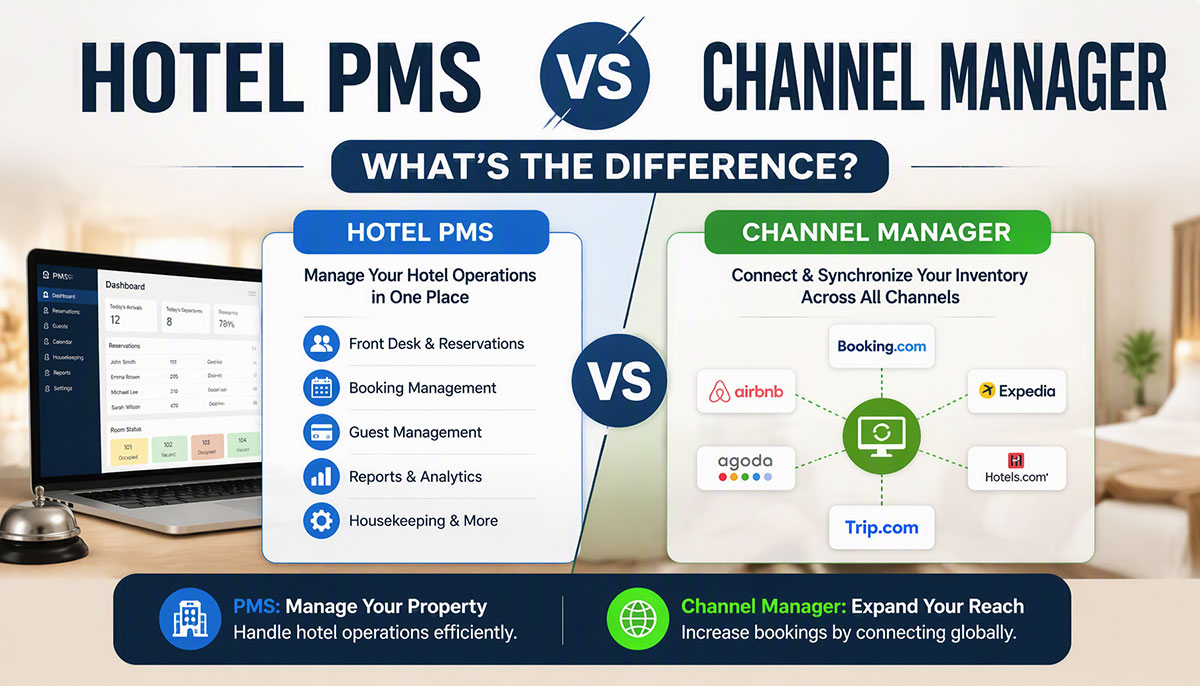
A hotel channel manager sends your room rates and availability to online travel agencies (OTAs) such as Booking.com and Expedia, and brings their bookings back into your property management system (PMS). A booking engine takes reservations directly on your own website, with no OTA commission. Most hotels use both: the channel manager for reach, the booking engine for margin.
The two are often confused. Some hoteliers think they are the same system, or that one can stand in for the other. Relying on the wrong one, or on only one, costs bookings or margin every month. This guide explains what each tool does, when you need it, and how the two work together.
What is a hotel channel manager?
A hotel channel manager is software that connects your PMS to the OTAs you sell on, so rates, availability and bookings stay in step across all of them. When a room sells on one channel, the channel manager updates what is left for sale on the others. That is how it prevents overbookings.
What it does:
- Sends rates, availability and restrictions (minimum stay, closed to arrival) to your OTAs
- Updates availability on the other channels when a booking comes in
- Pulls OTA reservations into your PMS, so nobody re-types them
What it does not do: take bookings on your own website. That is the booking engine's job.
Example: a 30-room boutique hotel in Lahore sells on Booking.com, Expedia, Agoda and Airbnb. Without a channel manager, someone at the front desk logs in to four separate extranets every day to change rates and close sold-out dates. With one, the rate is changed once in the PMS and goes out to every connected channel.
Read our guide to hotel channel managers for setup details and good practice.
What is a hotel booking engine?
A hotel booking engine is the reservation system on your own website: guests check availability, choose a room and book directly, without going through an OTA. No OTA is involved, so there is no OTA commission on that booking.
What it does:
- Shows live availability and prices for the guest's dates
- Takes payment online through the payment gateway you connect
- Collects the guest's name, email and phone directly, for your own records
- Sends the guest a confirmation
- Creates the reservation in your PMS
What it does not do: send your inventory to OTAs. That is the channel manager's job.
Example: a guest searches "boutique hotel Karachi" on Google, lands on your website, picks 12 to 14 November and a Deluxe Room, and pays online. You pay no OTA commission. Without a booking engine on your site, that guest may well have booked the same stay through an OTA, and you would have paid commission on it.
For more ways to shift bookings to your own site, see how to reduce OTA dependency and win more direct bookings.
Channel manager vs booking engine: side-by-side
Both tools handle bookings, but they do opposite jobs. A channel manager handles distribution: reaching more travellers through OTAs. A booking engine handles direct conversion: taking the booking on your own site and keeping the margin. Think of the channel manager as your wholesale channel and the booking engine as your retail counter.
| Channel manager | Booking engine | |
|---|---|---|
| Main job | Distributes rates and availability to OTAs | Takes direct bookings on your website |
| Commission | OTA bookings carry the commission in your OTA contract | No OTA commission |
| Where it sells | The OTAs and booking sites you connect | Your own website |
| Guest relationship | The guest books with the OTA; you get what the OTA passes on | The guest books with you; you collect their details directly |
| Sync | Two-way: rates and availability out, bookings in | Reads availability from the PMS and writes bookings back |
| Overbooking protection | Yes, by keeping every connected channel in step | Yes, by selling only what the PMS shows as free |
| Payment | Depends on the OTA and the booking type | You take payment through your own gateway |
| Reach | High: travellers already shopping on OTAs | Depends on your website traffic, search visibility and marketing |
| Setup | Connect each OTA account and map rooms and rates | Publish booking pages and connect a payment gateway |
| Best for | Hotels that need wide distribution | Hotels that want more revenue to come direct |
| Needs a PMS connection | Yes | Yes |
Key takeaway: neither tool replaces the other. The channel manager puts your rooms in front of travellers who shop on OTAs. The booking engine turns your own website traffic into commission-free bookings. Hotels that use both are visible wherever travellers search, and keep the full value of guests who already know them or find them through Google and social media.
When to use a channel manager
Use a channel manager if:
- You sell on three or more OTAs. Updating Booking.com, Expedia, Agoda and Airbnb extranets by hand takes time every day, and one missed update can sell the same room twice.
- OTAs bring you a large share of your bookings. The more of your occupancy depends on OTAs, the more each manual mistake costs.
- You have had overbookings. Selling one room twice means finding the second guest another room, compensating them, and risking a bad review.
- You want to add channels. Without a channel manager, every new OTA is another daily login and another set of manual updates.
- You run more than one property. Three hotels on five OTAs each is fifteen extranets to keep up to date by hand.
What EloPMS connects to: EloPMS's hotel channel manager software connects directly to Booking.com (through Booking.com's XML Connectivity Partner Program), Expedia (Expedia Quick Connect), Agoda (Agoda YCS) and Airbnb (the Airbnb Software Partner API). Each direct connection uses your own OTA account and that OTA's own connectivity programme, and a sandbox setting lets you test a connection before it goes live. Any other platform that imports or exports iCal calendar feeds, such as Vrbo, can be synced for availability through EloPMS's universal iCal engine with no partnership needed. iCal syncs availability only: it blocks booked dates in both directions so the same nights are never sold twice, but it does not send rates.
When to use a booking engine
Use a booking engine if:
- You want to cut OTA commission. Every booking that moves to your website is one you pay no OTA commission on.
- Your website gets visitors. For example, if 500 people visit in a month and 5% of them book, that is 25 commission-free bookings.
- You run marketing campaigns. Paid traffic from Google Ads, Facebook or Instagram should land on your own booking engine, not on an OTA listing where you pay commission on top of your ad spend.
- You want your own guest relationship. A direct booking gives you the guest's details first-hand, so you can welcome them back for repeat stays.
- You want the money sooner. When a guest prepays on your website, the payment comes to you through your own payment gateway, not through an OTA payout.
Work out the saving with your own numbers. Monthly commission saved = OTA bookings moved to direct × average booking value × your OTA commission rate. As an illustration only: a hotel taking 200 OTA bookings a month, with an average booking value of 12,000 and a 15% commission in its contract, pays 1,800 per booking and 360,000 a month in commission. Moving 20% of those bookings (40) to its own website saves 72,000 a month. Use the rate in your own OTA contracts, in your own currency.
EloPMS's commission-free booking engine reads live availability and prices from the same PMS your front desk uses, and takes online payment through Stripe, PayPal, JazzCash, EasyPaisa, Meezan Bank or HBL, whichever you connect. If you don't switch on online payment, the booking is held as tentative and the front desk arranges payment.
Why most hotels use both
Distribution plus conversion: the channel manager gets you discovered by OTA travellers; the booking engine keeps the margin on direct bookings.
Example path to a direct booking: a couple in Dubai searches for a romantic resort in Hunza, finds your hotel on an OTA, looks up your website, and books there. Because the final booking happened on your site, you pay no OTA commission on it.
Same rate, better extras: many OTA contracts include rate-parity terms, so check what yours allow. A common approach is to keep the room rate the same everywhere and give direct bookers extras such as breakfast, late check-out or an airport transfer. In EloPMS these are booking add-ons, priced per booking, per night, per guest or per guest per night.
One system instead of two tools: EloPMS runs the channel manager and the booking engine inside the same PMS:
- A channel manager with direct connections to Booking.com, Expedia, Agoda and Airbnb, plus iCal availability sync with any iCal-aware platform
- A booking website generated from your existing room and rate data, with live availability and online payments
- Every booking, from any source, lands in the same reservation ledger and Online Reservations inbox, with one guest profile and one folio
- The commission rate of each OTA channel is recorded on every reservation it brings, so you can see each channel's net value next to your commission-free direct bookings
Tax invoicing: EloPMS integrates with FBR (through PRAL) for real-time invoicing in Pakistan and with ZATCA e-invoicing in Saudi Arabia. Bookings from every channel settle through the same folio and ledger.
See how a PMS, channel manager and booking engine work together as one system.
Common mistakes hotels make
- A channel manager but no booking engine. Every booking comes through an OTA, so you pay commission on every reservation.
- A booking engine but no channel manager. Reach stays limited to guests who already know you, and you miss the travellers shopping on OTAs for hotels in your city.
- Updating OTAs by hand. It takes time every day, causes overbookings, and loses revenue.
- Sending your own traffic to an OTA. Hotels run Google Ads or Instagram campaigns but link to their OTA listing instead of their own booking engine, so they pay for the traffic and then pay commission on it.
- Uneven rates. Pricing lower on OTAs than on your own website. Many OTA contracts include rate-parity terms, and guests lose trust when they find a different price elsewhere.
The fix: use the channel manager to keep rates consistent across your OTAs, and use the booking engine to reward direct bookers with extras rather than lower prices.
How to choose the right tools for your hotel
Under 20 rooms, mostly direct or walk-in bookings: start with a booking engine. Add a channel manager when you sell on three or more OTAs.
20 to 100 rooms, relying on OTAs: you need both. Start with the channel manager to automate OTA distribution, then add the booking engine to move some of that business to commission-free direct bookings.
100+ rooms or a hotel group: you need both. Look for one system that includes the channel manager, booking engine, front desk and accounting, rather than separate tools that have to be kept in sync. EloPMS is built that way, and a hotel group can run every property from one login.
Key decision factors:
- How many OTAs you sell on (three or more and you need a channel manager)
- How much traffic your website gets (the more visitors, the faster a booking engine pays back)
- What OTA commission costs you each month (average booking value × your commission rate × OTA bookings)
- How many separate tools you are paying for and keeping in sync today
Final recommendation
Use both. The channel manager maximises your reach on the OTAs. The booking engine maximises your margin on bookings from your own website.
Choose one system rather than three: instead of a separate channel manager, booking engine and PMS, use a platform that runs all three on one database. EloPMS includes the channel manager (direct connections to Booking.com, Expedia, Agoda and Airbnb, plus iCal sync), a commission-free booking engine with online payments, the PMS itself (front desk, reservations, housekeeping), restaurant POS, accounting, and FBR (through PRAL) and ZATCA e-invoicing.
Where to start: if you sell on OTAs but don't have a channel manager yet, start there; it stops overbookings and the daily round of extranet logins. Then add a booking engine to start moving bookings to your own website.
See EloPMS's channel manager and booking engine working together: book a demo, or start a 15-day free trial with no credit card at e.eloerp.net/register.