Cloud PMS vs On-Premise: Which Is Right for Your Hotel?
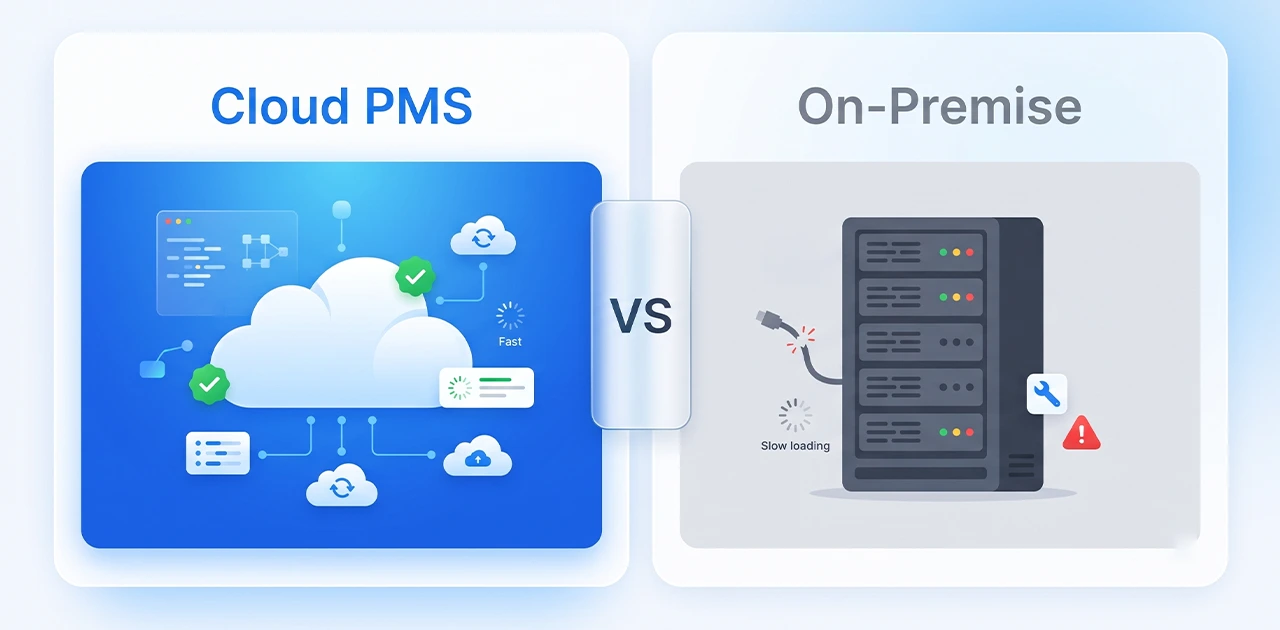
Cloud PMS is hosted on the vendor's servers and accessed through a web browser with monthly subscription pricing, while on-premise PMS is installed on your hotel's local server with a one-time license fee plus ongoing maintenance costs. Cloud systems offer automatic updates, remote access, and lower upfront costs; on-premise systems provide data control and no internet dependency but require in-house IT resources.
Choosing between cloud and on-premise hotel management software is one of the most important technology decisions you'll make. The difference isn't just technical — it affects your upfront investment, ongoing costs, compliance readiness, and how your team works daily.
This guide breaks down both models side-by-side, shows the real total cost of ownership over five years, and addresses the #1 concern in Pakistan and the GCC: "What if my internet goes down?"
What Is a Cloud PMS? (And How It Differs from On-Premise)
A hotel property management system (PMS) runs your front desk, reservations, housekeeping, and guest accounting. Where it runs determines whether it's cloud or on-premise.
Cloud PMS (also called SaaS or hosted PMS):
- Hosted on the vendor's secure data centers
- Accessed via web browser from any device
- Subscription pricing (monthly or annual)
- Vendor handles servers, backups, security, and updates
- Examples: EloPMS, Cloudbeds, Mews, RMS Cloud
On-premise PMS (also called legacy or local PMS):
- Installed on your hotel's physical server
- Accessed only from office computers connected to that server
- One-time license fee plus annual maintenance
- You handle server hardware, backups, IT support, and updates
- Examples: OPERA (legacy version), eZee on-premise, Fidelio
Hybrid PMS (rare): Some vendors offer local caching with cloud sync — the system stores a copy of data locally but syncs to the cloud for remote access and backups. This model is uncommon and typically more expensive than pure cloud.
Cloud PMS vs On-Premise: Side-by-Side Comparison
| Factor | Cloud PMS | On-Premise PMS |
|---|---|---|
| Upfront cost | Low — first month subscription only | High — license ($5,000–$50,000+) + server hardware ($2,000–$10,000) |
| Monthly cost | $50–$300/month (varies by room count) | $100–$500/month (maintenance, IT support, backups) |
| Updates & new features | Automatic, included in subscription | Manual — often requires vendor visit and extra fees |
| Access | Anywhere with internet — phone, tablet, laptop | Office computers only (unless you set up VPN) |
| IT requirements | None — vendor manages infrastructure | In-house IT staff or outsourced support needed |
| Data backup | Automatic daily backups to multiple locations | Your responsibility — manual or scheduled to local drives |
| Scalability | Add properties or modules instantly | Requires new server or hardware upgrades per property |
| Internet required | Yes (with offline fallback mode) | No — runs on local network |
| Compliance updates | Pushed automatically (FBR/ZATCA tax rules) | Manual patching — may require vendor visit |
| Security | Vendor handles encryption, SOC 2, ISO certifications | Your responsibility — firewall, antivirus, physical access control |
| 5-year TCO (50-room hotel) | $18,000–$36,000 | $30,000–$70,000 (40–60% higher) |
TCO calculation note: The on-premise total includes license ($10,000–$25,000), server hardware ($3,000–$8,000), annual maintenance (18–22% of license), IT labor for updates/backups (4–8 hours/month), and hardware replacement in year 4–5. Cloud TCO includes only subscription fees. Ranges based on industry data from TerraZone and Cloudvara.
5 Reasons Hotels Are Moving to Cloud
Industry adoption of cloud PMS has accelerated significantly in recent years, with most hotel groups and independent properties now preferring cloud over on-premise systems. Here's why:
1. Access from Anywhere
The owner checks occupancy from her phone while meeting suppliers. The front desk manager approves rate changes from home. The revenue manager reviews tomorrow's arrivals from the airport lounge.
Cloud PMS makes this normal. On-premise requires you to be physically at the hotel — or set up complex VPN remote access that still depends on your hotel's server being online.
Multi-property operators especially benefit: see real-time occupancy, revenue, and availability across all properties from a single dashboard, without logging into each property's local server.
2. No IT Headaches
No server room. No backup tapes. No "the server crashed and we lost last night's data" panic calls.
With on-premise, you are responsible for:
- Server hardware (runs 24/7, generates heat, fails every 3–5 years)
- Windows Server or Linux updates and security patches
- Daily backups — and verifying those backups actually work
- Antivirus, firewall, physical security of the server room
- Troubleshooting when something breaks at 11 PM on a Saturday
Cloud vendors handle all of this. Their business depends on uptime, so they run redundant data centers, automated backups to multiple locations, and 24/7 monitoring. You get enterprise-grade infrastructure without hiring an IT team.
3. Automatic Compliance Updates
Tax rules change. In Pakistan, FBR updates invoicing requirements. In Saudi Arabia, ZATCA's e-invoicing has rolled out in 24 waves, with Wave 24 (June 2026) covering all remaining VAT-registered businesses.
Cloud PMS vendors push these updates automatically. You wake up one morning and your invoices are already compliant with the new format.
On-premise? You wait for the vendor to release a patch, schedule downtime, pay for a technician visit (or handle it yourself), test the update, then deploy. If you're on an old version, the vendor may tell you to upgrade the entire system first — at additional cost.
For hotels in Pakistan and the GCC, this compliance advantage alone justifies the cloud move.
4. Real-Time Multi-Property Visibility
Managing a hotel group or chain with on-premise PMS means:
- Each property has its own server and database
- Viewing consolidated reports requires manual exports and Excel merges
- No real-time visibility — you're looking at yesterday's numbers
Cloud PMS designed for multi-property management centralizes everything. One login, real-time dashboard, instant drill-down to individual property performance. Group sales can see inventory across all properties. Finance can run consolidated reports without waiting for each property to send spreadsheets.
5. Lower Total Cost Over 3–5 Years
Cloud looks more expensive at first glance — you're paying monthly, while on-premise is a "one-time" license.
But total cost of ownership tells a different story:
Year 1:
- Cloud: $3,600 (50-room hotel at $300/month)
- On-premise: $18,000 (license $15,000 + server $3,000) + $2,400 maintenance = $20,400
Years 2–5:
- Cloud: $3,600/year × 4 = $14,400
- On-premise: $2,400 maintenance + $500 IT labor/month × 48 = $24,000 + $24,000 = $48,000 + server replacement year 4 ($3,000)
5-year total:
- Cloud: $18,000
- On-premise: $71,400
The on-premise cost includes license, hardware, annual maintenance (20% of license), estimated IT labor for updates/backups (4 hours/month at $125/hour), and hardware replacement in year 4. Cloud includes subscription only.
Even if you have in-house IT and don't count labor separately, on-premise hardware, maintenance, and upgrade costs add up. Cloud shifts IT spending from unpredictable capital expenses (server died, need to replace it now) to predictable monthly operating expenses.
When On-Premise Still Makes Sense
Cloud wins for most hotels, but on-premise isn't obsolete. It's the right choice when:
1. You're a large enterprise with dedicated IT infrastructure (500+ rooms)
If you already run your own data center, employ full-time server administrators, and have budget for hardware refresh cycles, on-premise gives you maximum control. Large hotel groups with strict data governance policies sometimes prefer to keep PMS data in-house.
2. Extreme data sovereignty requirements
Some government-owned properties, properties in countries with strict data localization laws, or hotels handling sensitive guest data (diplomatic hotels, government contracts) may be required to keep all data on local servers.
3. Genuinely unreliable internet with no 4G backup
If your property is in a location with frequent, prolonged internet outages and no mobile network coverage for failover, cloud PMS becomes impractical. (But read the next section — this scenario is rarer than you think.)
Note: "We've always done it this way" or "Our GM prefers on-premise" are not valid technical reasons. Evaluate based on actual requirements, not habit.
"But What If My Internet Goes Down?"
This is the #1 objection to cloud PMS in Pakistan and the GCC. It deserves a direct answer.
How Cloud PMS Handles Offline Situations
Modern cloud PMS platforms include offline mode (sometimes called "local cache" or "offline fallback"). When your internet connection drops:
- The system continues running using locally cached data
- You can still check guests in and out, process payments, and update room status
- All changes are stored locally
- When internet reconnects, the system automatically syncs everything to the cloud
Limitations of offline mode: You can't access real-time data from other properties, online bookings won't sync until reconnection, and reports and analytics may show stale data. But core front-desk operations continue.
(Offline mode explanation source)
4G/LTE Failover: A $10/Month Insurance Policy
The simplest solution: keep a 4G router with a prepaid SIM card as backup. When your primary broadband goes down, the system switches to mobile data.
Cost: approximately PKR 2,000–3,000 for the router (one-time), approximately PKR 1,500–2,500/month for unlimited 4G data.
Most cloud PMS applications use minimal bandwidth — the system isn't streaming video, just syncing reservation and billing data. A mobile connection handles this easily.
The On-Premise Reliability Myth
"On-premise never goes down because it doesn't need internet."
False. On-premise servers also fail. And when they do, recovery is harder:
- Hard drive failure: If your server's drive dies and your last backup was three days ago, you've lost three days of reservations, payments, and guest data.
- Power outage: On-premise requires a UPS (uninterruptible power supply) and generator, or the server shuts down hard — risking data corruption.
- Ransomware/virus: If your on-premise server gets infected, you're offline until you clean it or restore from backup (assuming backups weren't also encrypted).
Cloud PMS runs on redundant infrastructure across multiple data centers. If one data center has a problem, traffic routes to another. Your local internet going down is far more likely than AWS, Google Cloud, or Azure having a global outage.
Real-World Uptime
Reputable cloud vendors typically offer 99.5–99.9% uptime guarantees (SLA-backed). That's less than 4 hours of downtime per year, including planned maintenance.
If your hotel's internet is down more than 4 hours per year, the problem isn't cloud PMS — it's your ISP. Get a backup connection.
How to Migrate from On-Premise to Cloud
Switching from legacy on-premise PMS to cloud sounds daunting. In practice, most hotels complete the migration in 1–5 days, depending on data volume.
Step-by-Step Migration Process
1. Data export from your current system Your existing PMS vendor exports reservation history, guest profiles, rate plans, and configuration settings. Standard formats: CSV, XML, or direct API if the new cloud PMS integrates with your legacy system.
2. Cloud PMS setup and import The new vendor imports your data into their system, maps fields (guest name, room type, rate codes), and configures your property settings (tax rates, payment methods, user permissions).
3. Parallel run (1–3 days) Both systems run simultaneously. Staff trains on the new cloud PMS while the old system remains live as backup. This lets your team get comfortable without pressure.
4. Go-live cutover On a low-occupancy day (ideally mid-week, not Friday or a holiday), you switch to the cloud PMS as the primary system. The old system stays online read-only for a week in case you need to reference old data.
5. Post-go-live support Most cloud vendors provide dedicated support during the first two weeks — chat, phone, or on-site (depending on your package) to handle any questions or issues.
Timeline: Small properties (under 50 rooms) typically migrate in 1–2 days. Larger properties (100+ rooms) with complex integrations (channel manager, POS, door locks) may take 3–5 days.
For a detailed migration checklist, see our Hotel PMS Implementation Guide.
Conclusion: Cloud Wins for Most Hotels
For the majority of hotels — independent properties, boutique hotels, small chains, resorts, and guest houses — cloud PMS is the better choice.
Lower upfront cost, no IT overhead, automatic compliance updates, remote access, and lower total cost of ownership over five years make cloud the practical option.
On-premise still makes sense for very large enterprises with dedicated IT infrastructure or properties with genuine data sovereignty requirements. But even large hotel groups are increasingly migrating to cloud platforms.
If you're upgrading from a legacy system or choosing your first PMS, start with cloud.
EloPMS is cloud-native — no servers, no IT, no legacy baggage. Front desk, booking engine, channel manager, restaurant POS, and tax compliance for Pakistan (FBR) and GCC (ZATCA) in one platform. Start a free trial or schedule a demo to see how cloud PMS simplifies hotel operations.
Sources
- Hotel Tech Insight. (2026). Hotel technology statistics 2026: 30+ sourced data points. https://hoteltechinsight.com/hotel-technology-statistics-2026/
- TerraZone. On-Prem vs Cloud TCO: A 5-Year Cost Breakdown & Analysis. https://terrazone.io/on-prem-vs-cloud-tco/
- Cloudvara. Cloud vs on premise costs: A Complete TCO Breakdown. https://cloudvara.com/cloud-vs-on-premise-costs/
- Accrets. (2026). Cloud vs On-Premise in 2026: The TCO Comparison Your CFO Actually Needs. https://www.accrets.com/cloud-it/cloud-vs-on-premise/
- Zuzu Hospitality. Understanding Cloud PMS: The Ultimate Guide for Independent Hotels in 2026. https://zuzuhospitality.com/blog/what-is-cloud-pms-guide-independent-hotels
- RMS Cloud. Cloud vs. On-Premise PMS: Which is right for your property? https://www.rmscloud.com/blog/cloud-vs.-on-premise-pms-which-is-right-for-your-hotel
- Anand Systems. Cloud-Based vs. On-Premises PMS: Which Is Right for You? https://anandsystems.com/en/the-asi-blog/cloud-based-vs.-on-premises-pms-which-is-right-for-you