
What Is a Hotel POS System? Complete Guide for 2026
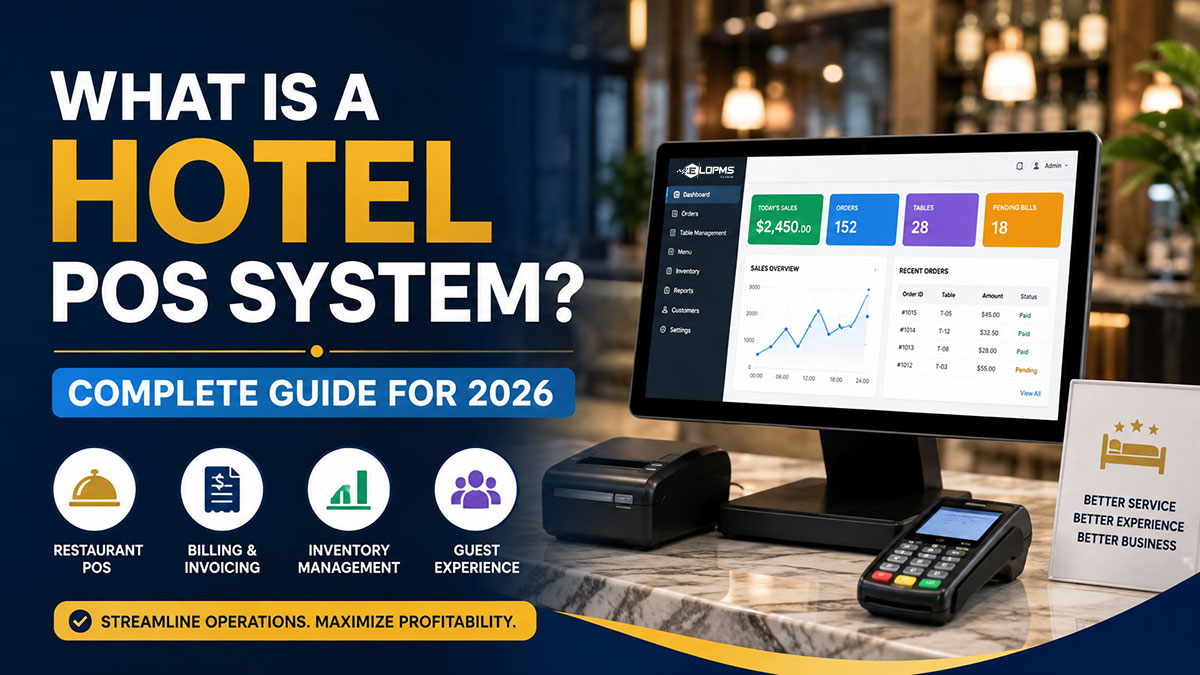
A hotel POS system is the till for a hotel's restaurant, bar, café, banquets and shop that posts sales straight to the guest's room folio and the hotel's accounts. Unlike a standalone restaurant POS, it knows who is in-house, so guests sign and settle once at checkout.
If your hotel has outlets, the POS should be part of the PMS rather than a separate product connected to it. This guide covers what a hotel POS does, how it differs from a restaurant POS, the core features, integration requirements, how pricing works and how to choose — and why we recommend the POS built into EloPMS.
Hotel POS System Definition
Hotel POS software runs food-and-beverage and retail sales at a hotel's restaurants, bars, banquets, room service and shops.
The core distinction: a hotel POS works with the PMS so guests can charge to their room — the charge posts to the folio and is settled at checkout. A standalone restaurant POS expects payment on the spot.
A hotel POS also handles several outlets at once, with per-outlet stock, consolidated reporting and one set of accounts. See our guide to hotel property management systems.
Hotel POS vs Restaurant POS: Key Differences
| Area | Hotel POS | Standalone restaurant POS |
|---|---|---|
| Primary use | Hotel restaurants, bars, banquets, several outlets | Single restaurants, cafés, quick service |
| Room charging | Charges post to the guest's room folio | No room charging; pay on the spot |
| Guest lookup | By room number, guest name or reservation | No link to hotel guests |
| Multi-outlet | Restaurant, bar, banquet and shop in one system | Usually one location at a time |
| Accounting | F&B revenue in the hotel's accounts with rooms | Separate accounts to reconcile |
| Inventory | Per-outlet stores, transfers between them | Single-location stock |
Why Room Charging Matters
The server finds room 305, the guest signs, and the charge lands on the folio. At checkout the front desk settles room and F&B together. Without it, guests pay at every outlet or the front desk re-types charges by hand — slow and error-prone.
Multi-Outlet Complexity
A hotel is several businesses under one roof. A hotel POS runs them all from one system, with each outlet's stock and takings kept separate and reported together. EloPMS runs the restaurant, bar, café, banquet hall, gift shop and gaming zone this way.
Core Features of Hotel POS Systems
1. Room Charging & Guest Folio Integration
The cashier finds the guest by room number, name or reservation, and the sale is posted to their folio. In EloPMS: the sale appears on the guest's folio as an F&B/POS line, recognized once at checkout and never double-counted; no-post and closed-folio rules are honoured automatically. See the EloPMS restaurant POS.
2. Multi-Outlet Management
Each outlet should have its own product list, stock and cash, with the owner seeing all of them side by side. In EloPMS: every outlet is tagged Retail, Restaurant or Game Zone, which decides the screen its cashier sees; each draws stock from its own warehouse; staff are assigned to the outlets they may open; and the Sales-per-Outlet report compares them all. See EloPMS multi-outlet.
3. Kitchen Display System (KDS)
Screens replace paper tickets: orders appear in the kitchen as they are sent. In EloPMS: the kitchen display shows each ticket with table, covers, order type, waiter and ticket age, color-coded by urgency (urgent after 15 minutes); the kitchen moves tickets from pending to preparing, ready and served. Only newly added items are sent on a re-fire, so courses are never duplicated.
4. Table Management & Floor Plans
A visual floor plan shows each table as available, occupied or reserved, with the running order total. In EloPMS: floor sections and tables, waiter assignment, covers and cover charges, merging and unmerging tables, moving an order to another table, courses (starter, main, dessert, drinks), and dine-in reservations with a one-tap "Seat Now".
5. Inventory & Recipe Costing
Define each dish as a recipe of ingredients, so a sale deducts the right stock and low stock triggers a reorder. In EloPMS: recipes are bills of materials; made-to-order dishes consume their ingredients automatically when sold; stock is valued at weighted-average cost across multiple stores; and a minimum-stock report raises a purchase order in one click. F&B ingredients, housekeeping supplies and maintenance stock live in one system. See EloPMS inventory.
6. Staff Management & Accountability
Controls that stop leakage: who can change a price, who can process a return, who closed the drawer short. In EloPMS: price overrides and returns are permission-gated; each cashier opens a shift with a float, takes a mid-shift X-report and closes with a Z-report; any over/short is posted to the ledger; and an unattended till locks itself after inactivity.
7. Banquet & Event Management
Banquets need halls, time slots, menus, deposits and event-day billing. In EloPMS: halls and party rooms with seated and standing capacity, per-plate menus with a minimum plate count, function sheets with setup and teardown times, advance deposits posted to the ledger, and double-booking protection. See EloPMS banquet & events.
8. Payment Processing & Reconciliation
Take every tender and reconcile it at day-end. In EloPMS: cash, card, bank and split payments across several methods, charge-to-room, credit sales to a customer's account with a credit-limit check, and receipts on A4, A5 or 80mm/58mm thermal paper. POS sales post to the hotel's general ledger.
Why Hotels Need a Specialized POS
A POS that isn't connected to the PMS can't post meals to rooms — guests pay on the spot or the front desk re-types charges by hand. A hotel POS posts to the folio: the server finds room 305, the guest signs, the charge lands on the folio, and the guest settles at checkout.
It also posts F&B revenue to the hotel's accounts in real time, so rooms, F&B and banquets report together instead of being stitched from exports. EloPMS keeps everything in one ledger. See EloPMS accounting.
Integration Requirements
1. PMS integration (essential): the POS needs the in-house guest list and must post charges to folios. When the POS and PMS are separate products, that depends on an integration you have to maintain. In EloPMS the POS and PMS share one database, so there is no integration between them.
2. Accounting: F&B revenue should post to the general ledger by outlet, tender and tax. EloPMS does this automatically.
3. Connectivity: decide what happens when the internet drops. EloPMS is cloud software, so outlets need a connection as well; keep a 4G or second-ISP backup where broadband is unreliable.
All-in-One vs Standalone Hotel POS
Option 1: Separate PMS + Separate POS
Pros: free choice of each product; can suit very large properties with highly specialized F&B. Cons: several subscriptions, an integration to maintain, several vendors to call when charges don't post.
Option 2: All-in-One PMS With Built-In POS
Example: EloPMS — PMS, POS, kitchen display, banquets, inventory, accounting, channel manager and booking engine in one system. Pros: no PMS-to-POS integration, one vendor, one set of data. Cons: you take the POS that comes with the PMS rather than choosing it separately.
All-in-one suits: small and mid-size hotels, boutique hotels, hotel groups, and properties in Pakistan and the GCC that need FBR or ZATCA e-invoicing. For a 50-room boutique hotel with one restaurant, it is our recommendation.
Hotel POS Pricing Guide
Hotel POS products are usually priced per terminal, as a subscription covering several terminals, or with a fee on each card transaction — often on top of the PMS. When you compare, add up:
- The POS and PMS subscriptions (and any kitchen display or inventory add-ons)
- Integration setup between POS and PMS
- Hardware: terminals or tablets, receipt and kitchen printers, kitchen screens
- Payment processing fees and support
EloPMS: pricing is on request and depends on the modules, outlets and properties you run; it is billed yearly, or monthly on request. Waiter and POS mobile apps are add-ons, priced separately on request. Ask us for a quote and compare it with the total of your separate stack.
How to Choose a Hotel POS System
1. PMS Integration
If the POS is separate, ask how it posts to folios and for reference hotels running the same combination. A POS built into the PMS removes the question.
2. Multi-Outlet Support
If you run a restaurant, bar and banquet hall, check that one system manages them all with per-outlet stock and consolidated reporting.
3. Room Charging Capability
Test it in the demo: can every outlet charge to a room? How does guest lookup work? Does the charge appear on the folio straight away?
4. E-invoicing (Pakistan, GCC, Malaysia)
If you trade in Pakistan, Saudi Arabia, the UAE or Malaysia, check how receipts reach the tax authority. EloPMS integrates with FBR digital invoicing (through PRAL) and PRA in Pakistan and ZATCA Phase 2 in Saudi Arabia; MyInvois and UAE e-invoicing are also available. See EloPMS e-invoicing.
5. Total Cost of Ownership
Add POS, PMS, hardware, payment fees, integration setup and support. An all-in-one system often replaces several of these lines.
Common Hotel POS Mistakes to Avoid
Mistake 1: Buying a restaurant POS for a hotel. If it can't post to the guest folio, every in-house guest becomes a manual posting.
Mistake 2: Underestimating integration. When the POS and PMS are separate, test charge posting before you sign. A POS built into the PMS removes the integration.
Mistake 3: Ignoring e-invoicing. Where FBR or ZATCA e-invoicing applies, adding it later is harder than choosing a system that integrates from day one.
Mistake 4: Comparing POS prices alone. A cheap POS on top of a PMS and inventory tool can cost more than one system. Compare totals.
What to Test in a Hotel POS Demo
| Test | What a good result looks like |
|---|---|
| Charge a dinner to room 305 | The charge is on the folio before the guest leaves the table |
| Send an order to the kitchen, then add a dessert | Only the dessert goes on the second ticket |
| Split a bill between card and cash | The till shows what is allocated and what remains |
| Close a cashier shift | Expected versus counted cash, with the variance posted |
| Compare outlets for the day | One report with each outlet's sales and the property total |
Where EloPMS Fits: Simplify Hotel F&B Management
Running hotel F&B on disconnected systems leaks money through re-keyed charges, reconciliation errors and stock that can't be traced.
EloPMS puts the PMS, restaurant POS, kitchen display, banquets, inventory, accounting, channel manager and booking engine in one system with one database. It runs in a modern browser on desktops, laptops and tablets, with touch-friendly POS and kitchen screens, and it integrates with FBR digital invoicing (Pakistan) and ZATCA Phase 2 e-invoicing (Saudi Arabia).
- Schedule a free demo
- WhatsApp +92 300 4510131
- Start your 15-day free trial (no credit card)