How to Register Your Hotel on GoIbibo: Complete Setup Guide (2026)
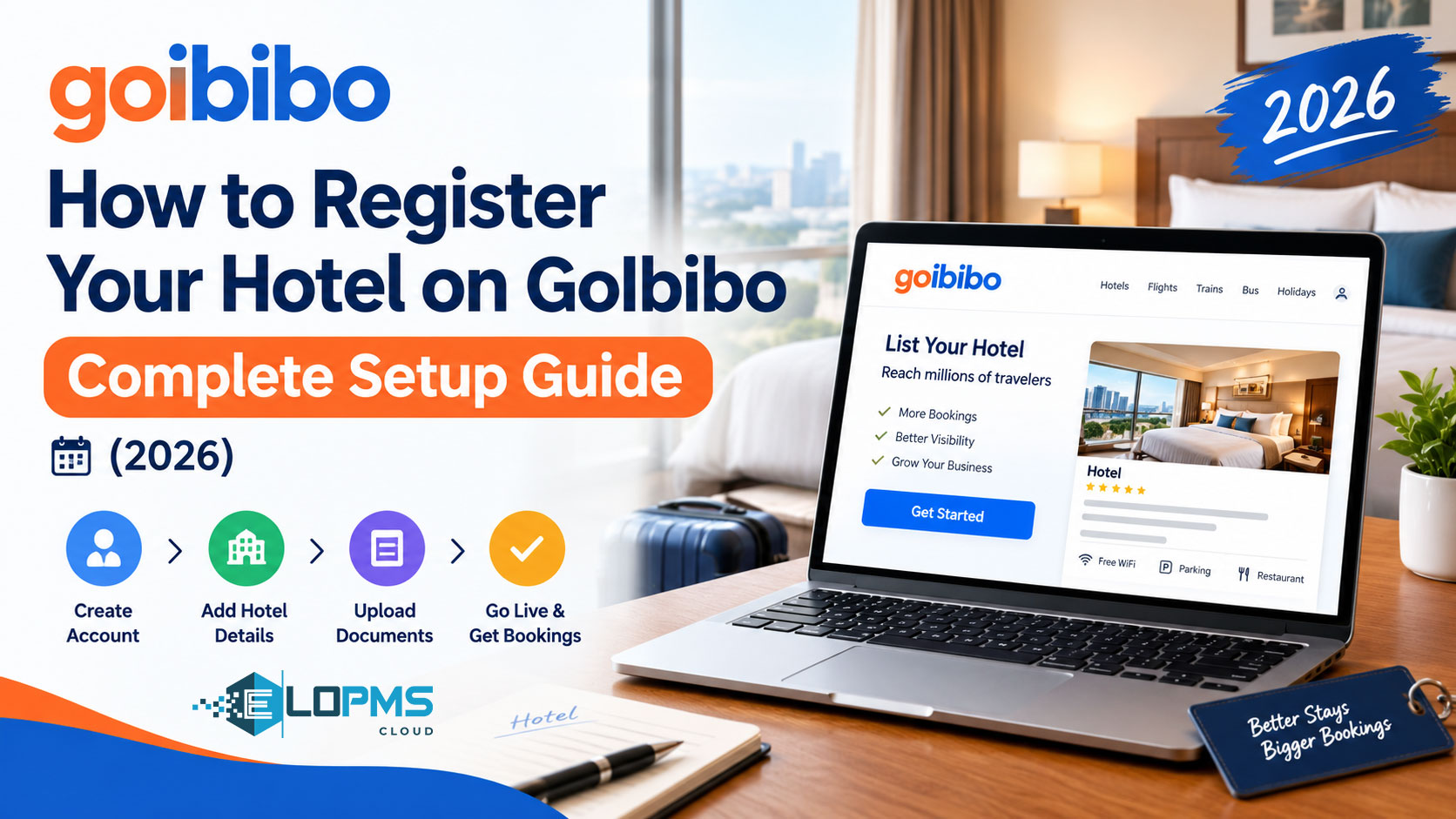
Registering your hotel on GoIbibo connects you to India's second-largest domestic OTA and, crucially, lists you on MakeMyTrip simultaneously through the same registration process. Since MakeMyTrip acquired ibibo Group in 2017 (which owned GoIbibo), both platforms share one partner dashboard — register once, appear on both OTAs.
This guide walks you through eligibility requirements, document preparation, the complete registration workflow, GST setup for Indian compliance, and why managing GoIbibo alongside 4-5 other OTA extranets manually creates the double-booking trap that costs hotels ₹30,000-50,000 per incident.
What Is GoIbibo Extranet?
GoIbibo extranet (accessible via the Connect by MakeMyTrip app and web portal) is the shared partner dashboard where hotels manage both GoIbibo and MakeMyTrip listings. Since MakeMyTrip acquired GoIbibo in 2017, one registration serves both OTAs. Hotels can update rates, availability, bookings, and generate GST invoices for Indian compliance. The same extranet controls both brands, though hotels may price each differently to match brand positioning.
Key functions include rate management, inventory control, GST invoice generation (mandatory for India), booking confirmations, and performance analytics. The Connect by MakeMyTrip partner app replaced the legacy IngoMMT interface and now serves as the primary management tool for both GoIbibo and MakeMyTrip hotel listings.
GoIbibo vs MakeMyTrip — One Portal, Two Brands
Both platforms use the same extranet and partner dashboard, but target different traveler segments. GoIbibo rebranded into a youth-oriented travel platform after the merger, focusing on first-time and Gen Z travelers with intuitive UI and gamified features. MakeMyTrip targets aspirational leisure and some corporate travelers with slightly premium positioning.
One registration: When you register on GoIbibo through the Connect app, you're automatically listed on MakeMyTrip (and vice versa) — no separate registration needed.
Pricing strategy: Hotels often price GoIbibo 5-10% lower than MakeMyTrip to match brand positioning. For example, a Deluxe room might be ₹3,000 on GoIbibo and ₹3,300 on MakeMyTrip. This differential pricing targets budget-conscious youth travelers on GoIbibo while maintaining premium positioning on MakeMyTrip.
Why List Your Hotel on GoIbibo?
India Domestic Leisure Dominance
GoIbibo is among the top OTAs in India, particularly strong in weekend getaways, family vacations, and holiday destinations like Goa, Rajasthan, Himachal Pradesh, and Kerala. The MakeMyTrip Group (which includes both MakeMyTrip and GoIbibo) commands significant market share in India's domestic OTA landscape.
Youth and budget traveler focus: GoIbibo is popular among first-time and Gen Z travelers, with its dedicated Student GoPass programme attracting cost-conscious, digitally-savvy young travelers. The platform operates as a comprehensive mobile app designed specifically for India's youth travel segment.
2-for-1 Listing Value
Register once and you're listed on both GoIbibo AND MakeMyTrip — India's two dominant domestic OTAs operated by the same group. This dual-brand exposure from a single registration significantly expands your reach across different traveler demographics without duplicate effort.
Commission Rates
GoIbibo charges 18-22% commission on each booking, with MakeMyTrip & GoIbibo together charging 18-25%. Hotels can increase their commission percentage by 3-5% in exchange for higher ranking in search results and increased exposure.
goCash Rewards Program
GoIbibo's loyalty currency (goCash) drives repeat bookings. Users earn goCash on bookings and redeem it on future stays. Properties that offer extra goCash (e.g., "Earn 5% extra goCash on this booking") get "goCash Boost" badges, improving search ranking.
Best Fit Properties
- Leisure hotels (beach, hill stations, heritage, backpacker-friendly)
- Guest houses, homestays, budget hotels (GoIbibo has strong budget segment unlike premium-focused properties)
- Hotels in domestic tourist destinations (Goa, Jaipur, Manali, Ooty, Pondicherry, Udaipur)
- Properties targeting Indian domestic travelers (vs international-focused Agoda)
Eligibility Requirements for GoIbibo
Property types: Hotels, guest houses, homestays, serviced apartments, resorts, villas (minimum 1 room — very inclusive)
Legal requirements:
- GST registration (mandatory for India)
- Property address proof (utility bill, lease, property tax receipt)
- Bank account in property/owner name
Quality standards:
- Minimum 5 photos (professional quality)
- English property description
- Active phone number (booking confirmations are SMS + email)
Not eligible: Unlicensed properties, properties without GST (GoIbibo strictly enforces GST due to domestic market compliance rules)
Processing time: 7-10 days for document verification and listing approval, faster than Booking.com (10-14 days) or Agoda (15-20 days) for similar-sized properties.
Documents You'll Need Before Starting
Prepare these documents to avoid delays:
- GST certificate (mandatory — GoIbibo will NOT approve listing without valid GSTIN)
- PAN card (property owner/company)
- Property address proof (electricity bill, water bill, municipal license, lease agreement — must match GST certificate address)
- Bank details (account number, IFSC code, branch name, cancelled cheque or bank statement)
- Property photos (minimum 5, recommended 12-15: exterior, reception, all room types, bathroom, dining area if applicable, nearby attractions)
- Contact information (property phone, WhatsApp number if available, email, front office manager name)
- Room inventory (room type names, bed type, max occupancy, room count, amenities per room type)
Step-by-Step: Registering on GoIbibo
Step 1: Start Registration
Visit the GoIbibo & MakeMyTrip property registration page or download the Connect by MakeMyTrip app.
Click "Get started for free" and fill basic property details:
- Property name
- Address
- Property type (hotel/guest house/homestay/resort/villa)
- Room count
- Contact details
Submit your registration request. The system sends a confirmation email within 24 hours with document upload instructions.
Step 2: Document Upload (Within 24 Hours)
GoIbibo partner team sends an email with a document upload link. Upload these documents:
- GST certificate (they verify GSTIN on government portal automatically)
- PAN card
- Address proof (must match GST address exactly — even comma placement matters)
- Bank details (cancelled cheque or bank statement with IFSC visible)
Critical: Property address in the extranet must match your GST certificate word-for-word. Mismatches cause verification failures.
Step 3: Phone Verification (2-3 Days)
A GoIbibo partner executive calls your property phone number to:
- Verify you're the owner/manager (asks 2-3 questions: property address, owner name, room count)
- Explain commission structure, payment terms, and extranet usage
- Confirm email address for extranet login credentials
Step 4: Property Content Setup
The partner executive sends extranet login credentials for the Connect app/web portal. On first login:
Property profile completion:
- Property description (150-200 words, highlight USPs — proximity to airport/tourist spots, amenities, target traveler type)
- Facilities checklist (Wi-Fi, parking, AC, power backup, hot water, TV, room service)
- Room types setup (name, bed type, room size, max occupancy, photos per room, amenities)
- Policies (check-in/check-out times, cancellation policy, advance payment required, children policy, extra bed charges)
Step 5: Rate Loading & Commission Agreement
Base rates: Set rates for each room type in INR per night. GoIbibo recommends starting 5-10% below your direct/walk-in rates to drive initial bookings.
Availability: Open availability for next 365 days (or at least 90 days minimum)
Commission structure: 18-22% standard commission, negotiated during phone call. Hotels can opt for higher commission (3-5% additional) for premium placement in search results.
GST on commission: Commission is exclusive of GST — you pay 18% GST on GoIbibo's commission invoice separately.
Step 6: Listing Goes Live (7-10 Days Total)
GoIbibo quality team reviews:
- Photos and description
- Policies
- GSTIN verification with government portal (automated)
Final approval notification arrives via email. Your listing appears on both GoIbibo.com AND MakeMyTrip.com simultaneously within 24 hours of approval. Extranet is fully activated — you start receiving bookings.
Navigating the GoIbibo/MakeMyTrip Partner Extranet
The Connect app and web portal provide:
Dashboard home:
- Today's check-ins/check-outs
- New bookings (separate tabs for GoIbibo and MakeMyTrip bookings)
- Unread messages
- Revenue summary (combined GoIbibo + MMT)
Inventory & Pricing:
- Calendar view for rate updates (set rates separately for GoIbibo and MMT if desired, or sync both)
- Bulk update tool
- Stop-sale dates
Bookings:
- Reservation list (filter by GoIbibo or MMT brand)
- Booking details
- Guest contact info
- GST invoice download
Policies: Manage cancellation policies, meal plans, extra bed charges
Reports: Booking performance, occupancy rates, revenue trends, competitor rate comparison
GST Invoices: Auto-generated for every booking (downloadable PDF) — mandatory for Indian compliance
GoIbibo vs MakeMyTrip Pricing Strategy
Why price differently: GoIbibo attracts budget-conscious travelers (youth, families looking for deals), while MakeMyTrip attracts slightly premium/aspirational segments.
Common strategy: Price GoIbibo 5-10% lower than MMT to match brand positioning (e.g., Deluxe room ₹3,000 on GoIbibo, ₹3,300 on MMT).
Rate parity consideration: If also listing on Booking.com/Agoda, ensure GoIbibo rate isn't LOWER than international OTAs (violates rate parity agreements) — match or slightly higher is safe.
Test and optimize: Monitor which brand drives more bookings for your property type. Beach resorts often do better on GoIbibo (younger audience), while city hotels may perform better on MMT.
Post-Setup: Optimizing for Domestic Leisure Travelers
1. Enable goCash Rewards
Properties offering extra goCash (e.g., "Earn 5% extra goCash on this booking") get "goCash Boost" badges, improving search ranking and attracting repeat bookers.
2. Weekend Pricing
Indian domestic travel is heavily weekend-focused (Friday-Sunday). Price weekends 20-30% higher, offer Monday-Thursday discounts to balance occupancy.
3. Festival Season Deals
Participate in Diwali (October-November), Holi (March), summer vacation (April-May), and Christmas/New Year deals. GoIbibo promotes seasonal deals heavily — participation gets homepage visibility.
4. Mobile-First Optimization
GoIbibo operates as India's 2nd largest travel app with over 5 crore (50 million) happy travelers. Ensure mobile photos look good — use vertical/square crops, not just landscape.
5. Hindi Descriptions (Optional but Effective)
GoIbibo allows property descriptions in Hindi. If targeting Hindi-speaking domestic travelers (North India, Tier 2-3 cities), add Hindi translation for better conversion.
How to Update Rates in GoIbibo/MakeMyTrip Extranet
Manual Updates
Log into the Connect app or web portal daily:
- Navigate to Inventory & Pricing → Calendar view
- Update rates (separately for GoIbibo and MMT if using differential pricing strategy)
- Close sold-out dates (stop-sale)
If listed on 5-6 OTAs (GoIbibo/MMT counts as 2 brands + Booking.com + Agoda + Cleartrip = 6 logins daily), this consumes 2-3 hours of front desk time daily.
Why Separate GoIbibo + MMT Pricing Becomes Complex
Manual challenge: Even though it's ONE extranet, you might price differently for each brand (GoIbibo lower, MMT higher) — requires careful calendar management.
Overbooking risk: GoIbibo and MMT share the same inventory pool. If Guest A books your last room on GoIbibo at 10:00 AM, you must IMMEDIATELY close that room on MMT (and all other OTAs). Manual updates create delays — this is where double-bookings happen.
Common GoIbibo Extranet Issues & Solutions
Issue: GST verification failed / GSTIN invalid error
- Reason: Property address in extranet doesn't match GST certificate address exactly (even comma placement matters)
- Solution: Update property address in extranet to match GST certificate word-for-word, request re-verification from partner manager
Issue: Low visibility in search results (few bookings)
- Reasons: Rates too high vs competitors, fewer than 10 photos, no goCash rewards enabled, cancellation policy too strict (domestic travelers prefer flexible cancellation)
- Solution: Check competitor rate comparison tool, add more photos (target 15), enable goCash rewards, offer 24-48 hour free cancellation
Issue: MMT bookings showing but GoIbibo bookings low (or vice versa)
- This is normal: Depending on property type and location, one brand may drive more bookings. Beach properties often do better on GoIbibo (younger audience), city hotels better on MMT.
- Solution: Don't panic — combined booking volume is what matters, not individual brand split
Issue: GST invoice not generating automatically
- Reason: GST setting not enabled in extranet (common mistake)
- Solution: Navigate to Settings → Tax & Billing → Enable "Auto-generate GST invoice for every booking"
GoIbibo Commission & Payment Structure
Standard commission: 18-22% (negotiable)
Premium placement: Hotels can increase commission by 3-5% for higher search ranking and increased exposure
goCash cost: If property offers extra goCash, GoIbibo sometimes adds 1-3% to commission (check partner agreement)
Payment method: NEFT to registered bank account (INR only, no foreign currency)
Commission invoice + GST: GoIbibo sends commission invoice (e.g., 15% of ₹10,000 booking = ₹1,500 commission) — you pay 18% GST on ₹1,500 separately (₹270 additional)
Why Managing Multiple OTA Extranets Manually Fails
India Multi-OTA Reality
Typical Indian hotel OTA mix: GoIbibo + MakeMyTrip (same portal but two brands) + Booking.com + Agoda + Cleartrip = 5-6 OTA channels. Each needs daily rate updates, availability sync, and booking management.
For a 15-room property managing 6 channels: 15 rooms × 6 channels = 90 daily operations
Time cost: 2-3 hours per day of front desk staff time, translating to roughly ₹60,000-90,000 in annual labor cost.
The GoIbibo/MMT Double-Booking Trap
Scenario: Guest books Room 3 on GoIbibo at 2:00 PM. You log into extranet at 2:30 PM to close Room 3. But at 2:20 PM (before you closed it), another guest books Room 3 on MakeMyTrip (same property, different brand).
Result: Double booking within the same portal system — extra frustrating because it's the SAME extranet managing both brands.
Penalty: GoIbibo/MMT tracks overbooking rate combined across both brands. Above 2% overbooking rate results in search ranking drops, reducing visibility and future bookings.
2-for-1 Channel Manager Value
A hotel channel manager automates rate and inventory sync across all your OTAs from one dashboard.
EloPMS advantage: One GoIbibo integration automatically handles BOTH GoIbibo and MakeMyTrip (since they share the same API/extranet backend). Update rates once in EloPMS → syncs to GoIbibo AND MakeMyTrip simultaneously + Booking.com + Agoda + Cleartrip + 50+ other OTAs.
How it works: The EloPMS channel manager connects to GoIbibo/MakeMyTrip's unified API. When you update a rate or close a room in EloPMS, it pushes to both brands instantly — plus all your other connected OTAs — eliminating the double-booking trap.
ROI calculation:
- Eliminates 2-3 hours/day manual updates (₹60,000-90,000/year labor savings)
- Prevents double bookings across GoIbibo/MMT brands (₹30,000-50,000/year in penalties/compensation avoided)
- One EloPMS integration serves 2 OTA brands (GoIbibo + MMT) — vs managing them separately
Learn more about what is a hotel channel manager and how it prevents overbooking through real-time sync.
Building Your India OTA Distribution Strategy
Most Indian hotels list on multiple OTAs to maximize reach:
Core India OTA mix:
- GoIbibo + MakeMyTrip (domestic leisure, youth travelers)
- Booking.com (international travelers)
- Agoda (Asia-Pacific leisure)
- Cleartrip (domestic corporate travelers)
Each OTA serves different traveler segments. GoIbibo captures budget-conscious youth and weekend getaways, while Cleartrip attracts corporate bookings and MakeMyTrip serves aspirational leisure travelers.
Multi-OTA challenge: Managing 5-6 separate extranets manually creates the conditions for double-bookings, pricing inconsistencies, and hours of daily administrative work.
Automation solution: A channel manager with native India OTA integrations (GoIbibo/MMT, Cleartrip, plus international platforms) syncs all channels from one dashboard, eliminating manual extranet logins and preventing double-bookings through real-time inventory updates.
Ready to Automate Your OTA Distribution?
Managing GoIbibo, MakeMyTrip, and 4+ other OTA extranets manually consumes 2-3 hours daily and creates double-booking risk. EloPMS channel manager syncs all your OTAs from one dashboard — with native GoIbibo/MMT integration and GST-compliant invoicing built-in.
One rate update in EloPMS pushes to GoIbibo, MakeMyTrip, Booking.com, Agoda, Cleartrip, and 50+ other OTAs instantly. No more logging into six different extranets. No more double-bookings between GoIbibo and MakeMyTrip brands.
Explore EloPMS Channel Manager →
Sources
- MakeMyTrip - Wikipedia - MakeMyTrip merger with ibibo Group in 2017
- MakeMyTrip and Goibibo Merger - Business Today - Merger announcement and details
- Connect by MakeMyTrip App - Official partner app for GoIbibo and MakeMyTrip hotel management
- Top Online Travel Agencies in India - Mize - GoIbibo market positioning and youth traveler focus
- Hotel OTA Commission Rates India 2026 - Jhattse Business - GoIbibo commission rates and premium placement costs
- OTA Commission Rates India 2026 - MyHomestay - MakeMyTrip & GoIbibo commission structure
- GoIbibo Hotel Registration Guide - AxisRooms - Registration process and rate recommendations
- GoIbibo App on Google Play - Mobile-first platform and user base statistics